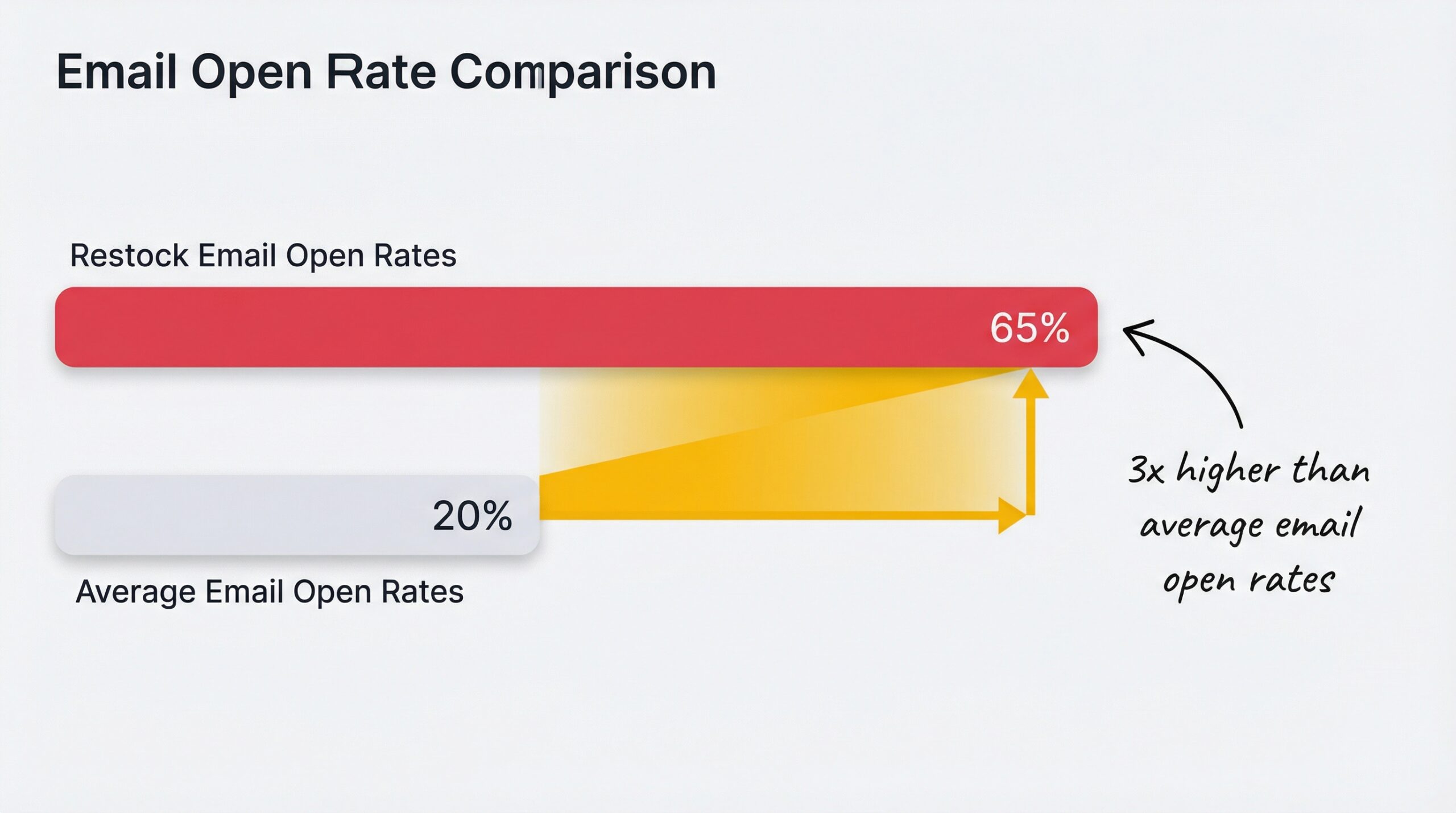
Back in stock emails get a 65% open rate, three times higher than the average email (Barilliance email marketing benchmarks, 2024). But that number only happens when the subject line earns the open. A generic “Product available” or “Inventory update” line wastes the single highest-performing email type in your automation stack. If you want restock email subject lines for Shopify that match those benchmarks, you need a framework, not a guessing game.
This article gives you 50+ proven subject line formulas organized by strategy, the data behind why each approach works, and a practical Shopify restock notification app setup guide so you can start testing immediately.
Why do restock email subject lines matter so much?
A restock email subject line is the text that appears in your customer’s inbox when a previously out-of-stock product becomes available again. It’s the only thing standing between your email and the trash folder, and for back-in-stock notifications, the stakes are higher than any other email type. Whether you call it a restock notification subject line or a back in stock alert, the principle is the same: the right words in the inbox preview determine whether you recover that sale.
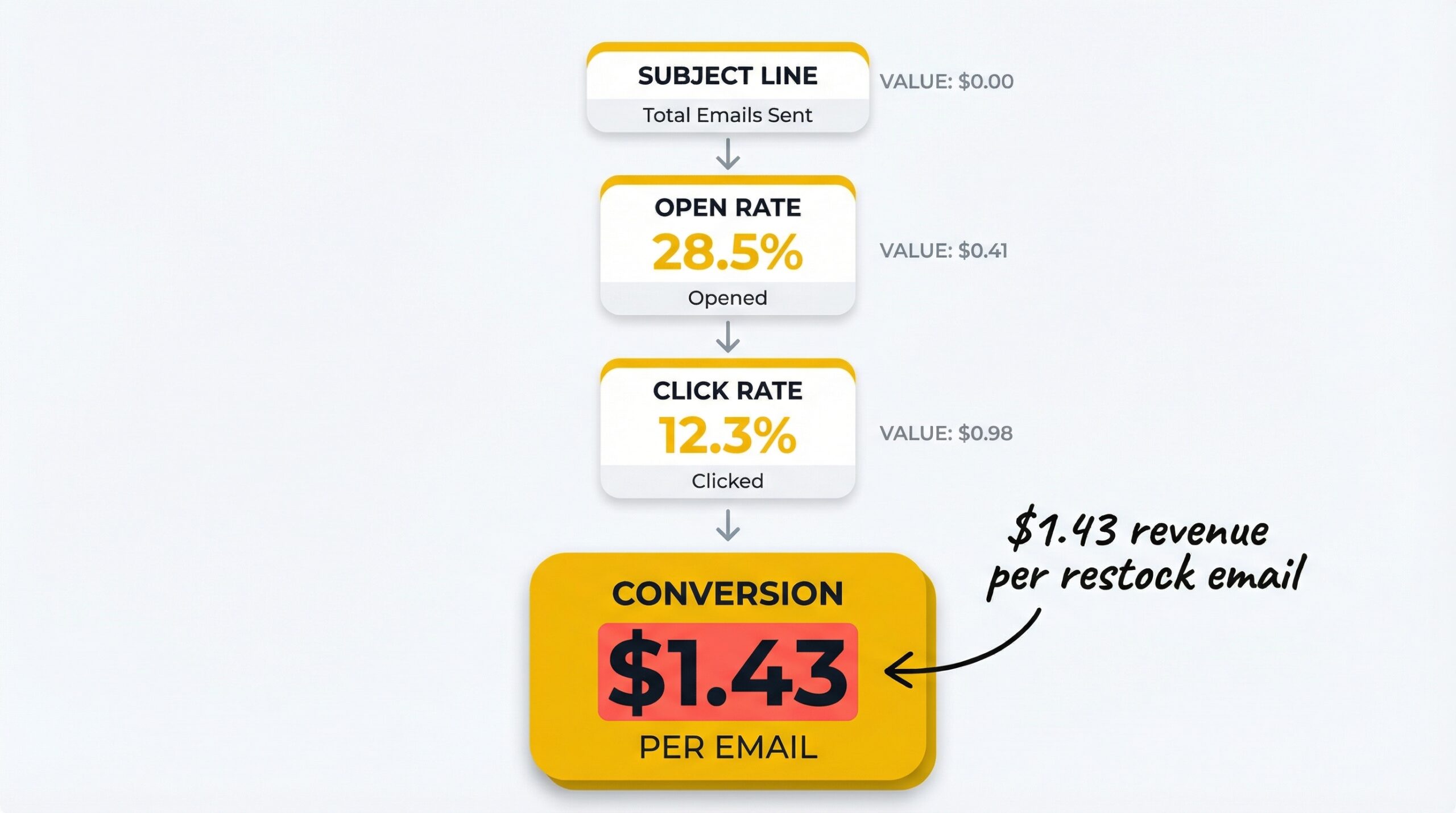
Here’s why. According to Omnisend’s email marketing statistics report, back in stock automated flows generate a 59.19% open rate, a 5.34% conversion rate, and $1.43 in revenue per email sent. That revenue only materializes if customers open the email. The subject line is your only audition.
And there’s a compounding effect. Restock emails target customers who already want your product, they raised their hand and asked to be notified. A weak subject line doesn’t just lose one open. It loses a sale that was already 80% closed. Understanding what stockouts actually cost your Shopify store makes this even clearer: every unopened restock email is revenue lost twice, first from the stockout, then from the failed recovery.
What are the best restock email subject line strategies?
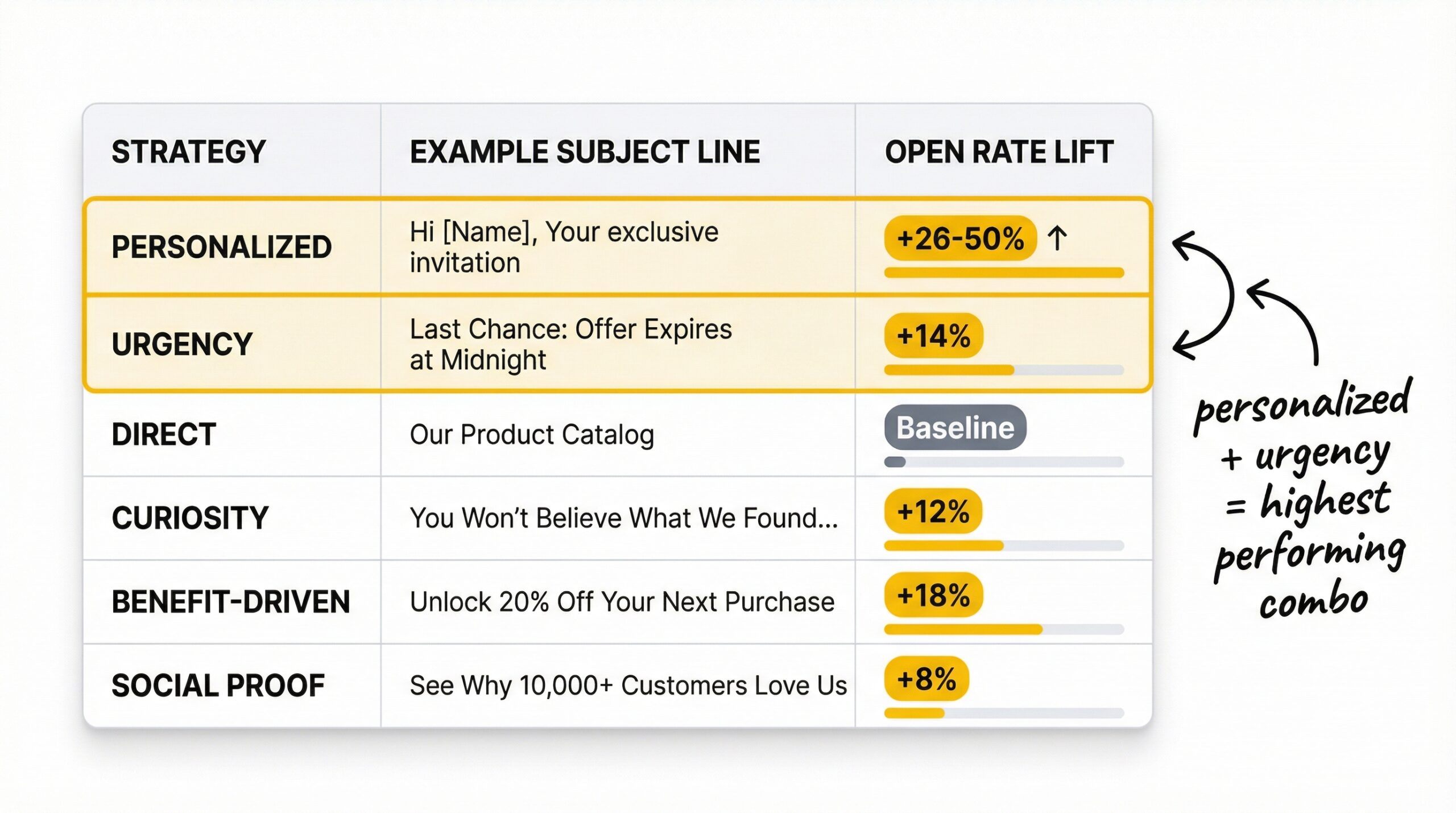
Six strategies consistently outperform generic subject lines: (1) direct and clear, (2) personalized with name and product, (3) urgency-driven, (4) scarcity-focused, (5) curiosity-based, and (6) social proof. Here’s how each one works and when to use it.
Direct and clear (the baseline)
Example: “It’s back! [Product Name] is in stock”
This is the safest default. No tricks, no gimmicks, just a clear statement that the product the customer wanted is available. It works because the customer already has intent. You’re not selling them on the idea; you’re confirming their product is ready.
When to use: Every restock. This is your fallback when you’re not sure which strategy to test.
Personalized with name and product
Example: “[Name], your [Product Name] is available again”
Personalized subject lines boost open rates by 26% according to Campaign Monitor’s email trends research, and some studies report lifts as high as 50%. Including the customer’s first name and the specific product name triggers immediate recognition. The email feels like it was written for them, not blasted to a list.
When to use: Whenever you have the customer’s name and specific product data. This should be your default for restock notifications.
Urgency-driven
Example: “Back in stock, but not for long”
Urgency-based subject lines improve open rates by 14% and transaction rates by 16%. They work by creating time pressure without setting fake deadlines. The implication is clear: this product sold out before, and it could sell out again. That’s not manipulation, it’s a fact the customer already knows.
When to use: Products with a history of selling out quickly, seasonal items, trending products.
Scarcity-focused
Example: “Only [X] left: [Product Name] is back”
This strategy names a specific number, making the urgency concrete rather than vague. “Only 8 left” is more compelling than “limited stock” because it gives the customer a measurable reason to act now. But only use real numbers, fake scarcity destroys trust permanently.
When to use: Genuine limited-stock restocks, small-batch products, items with real inventory constraints.
Curiosity-based
Example: “Guess what just came back?”
Curiosity subject lines withhold the specific product to create an information gap the customer wants to close. They work best with loyal audiences who have a relationship with your brand. The risk: if the customer doesn’t remember what they signed up for, the line feels vague and gets ignored.
When to use: Strong brand voice, loyal customer base, products with strong brand recognition.
Social proof
Example: “[Product Name] sold out in 48 hours last time, it’s back”
This strategy combines the restock announcement with evidence of past demand. Telling customers that the product sold out quickly before validates their desire and creates urgency simultaneously. It works because people want what other people want.
When to use: Products with documented sell-out history, high-demand items, limited editions.
50+ restock email subject line examples for Shopify
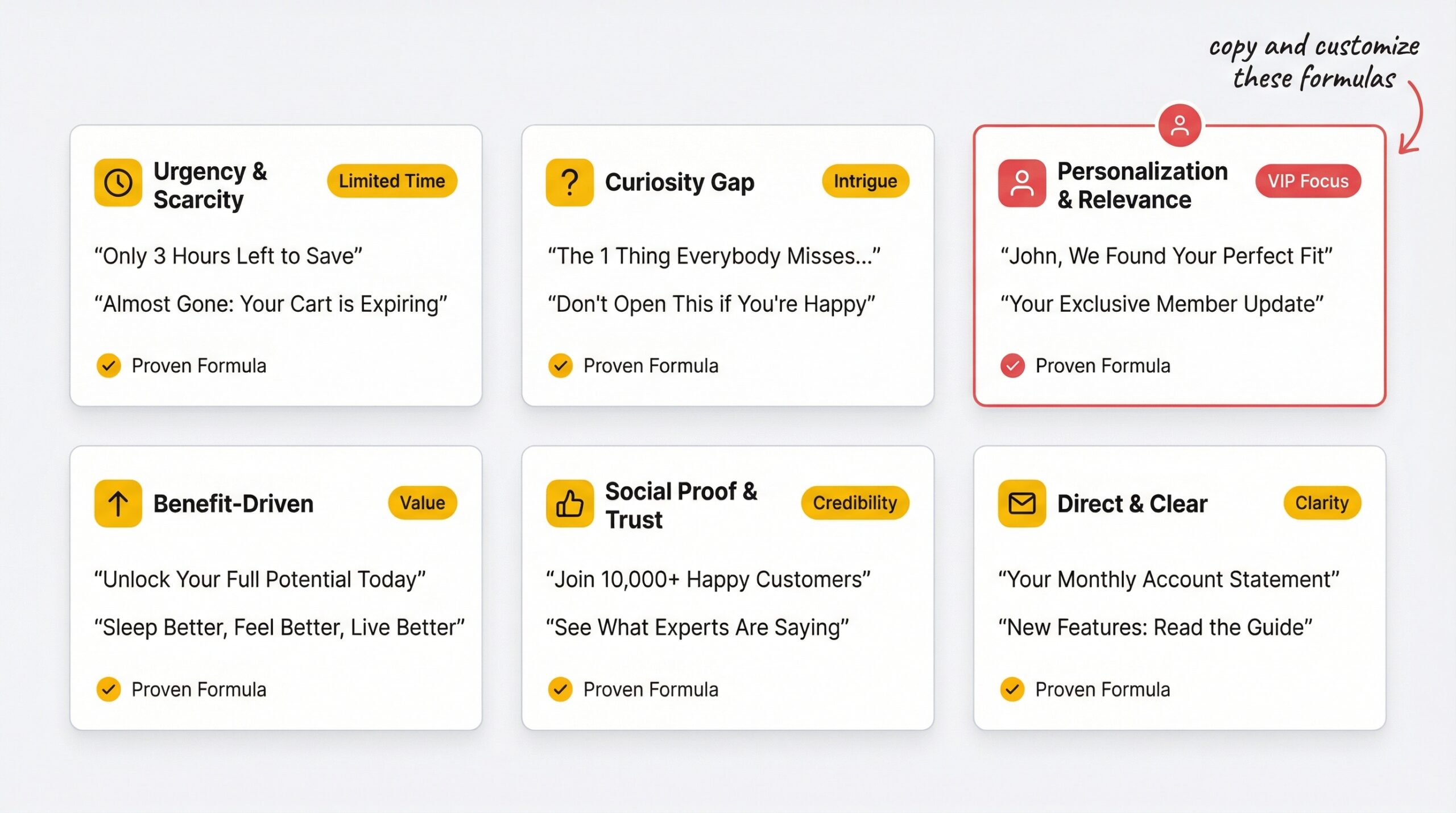
Here are 52 ready-to-use back in stock subject line examples organized by strategy. Replace [Product Name] with your actual product and [Name] with the customer’s first name.
Direct and clear:
- “It’s back! [Product Name] is in stock”
- “[Product Name] is back in stock”
- “Good news: [Product Name] is available again”
- “Your [Product Name] is back”
- “[Product Name] just restocked”
- “We restocked [Product Name]”
- “The wait is over: [Product Name] is here”
- “[Product Name], back and ready to ship”
Personalized:
- “[Name], your [Product Name] is back”
- “[Name], we restocked the item you wanted”
- “Hey [Name], [Product Name] is available again”
- “[Name], don’t miss [Product Name] this time”
- “Good news, [Name]: [Product Name] is back in stock”
- “[Name], your waitlisted item just restocked”
- “We brought back [Product Name] for you, [Name]”
- “[Name], [Product Name] is ready for you”
Urgency-driven:
- “Back in stock, but not for long”
- “[Product Name] is back (and selling fast)”
- “Don’t miss it again: [Product Name] restocked”
- “Hurry, [Product Name] is back in stock”
- “[Product Name] won’t last: just restocked”
- “Your second chance: [Product Name] is here”
- “Act fast, [Product Name] is back”
- “Running low already: [Product Name] restocked”
Scarcity-focused:
- “Only [X] left: [Product Name] is back”
- “Last chance: [Product Name] restocked in limited quantities”
- “[Product Name] is back, [X] units available”
- “Limited restock: only [X] [Product Name] available”
- “Almost gone again: [Product Name] restocked”
- “[Product Name] is back, don’t let it sell out on you”
- “Final restock: [Product Name] in limited supply”
- “[X] left: [Product Name] just dropped again”
Curiosity-based:
- “Guess what just came back?”
- “Remember this? It’s finally back”
- “You asked, we listened”
- “Something you wanted is back…”
- “The item you’ve been waiting for is here”
- “It’s back (and better than ever)”
- “We have good news for you”
- “Your wishlist just got shorter”
Social proof:
- “[Product Name] sold out in 48 hours last time, it’s back”
- “200+ people wanted this: [Product Name] is back”
- “Our bestseller is back in stock”
- “The most-requested restock of the month: [Product Name]”
- “[Product Name], back by popular demand”
- “You and [X] others asked for this: it’s back”
- “Our fastest-selling [Product Name] just restocked”
- “[Product Name] is back, [X] people are already shopping it”
Bonus: Combination formulas (mixing two strategies):
- “[Name], [Product Name] is back, only [X] left” (personalized + scarcity)
- “[Name], don’t miss [Product Name] again, selling fast” (personalized + urgency)
- “Your [Product Name] is back, [Name], [X] people are looking” (personalized + social proof)
- “Only [X] left: the item you wanted is back” (scarcity + curiosity)
How should you pair subject lines with preheader text?
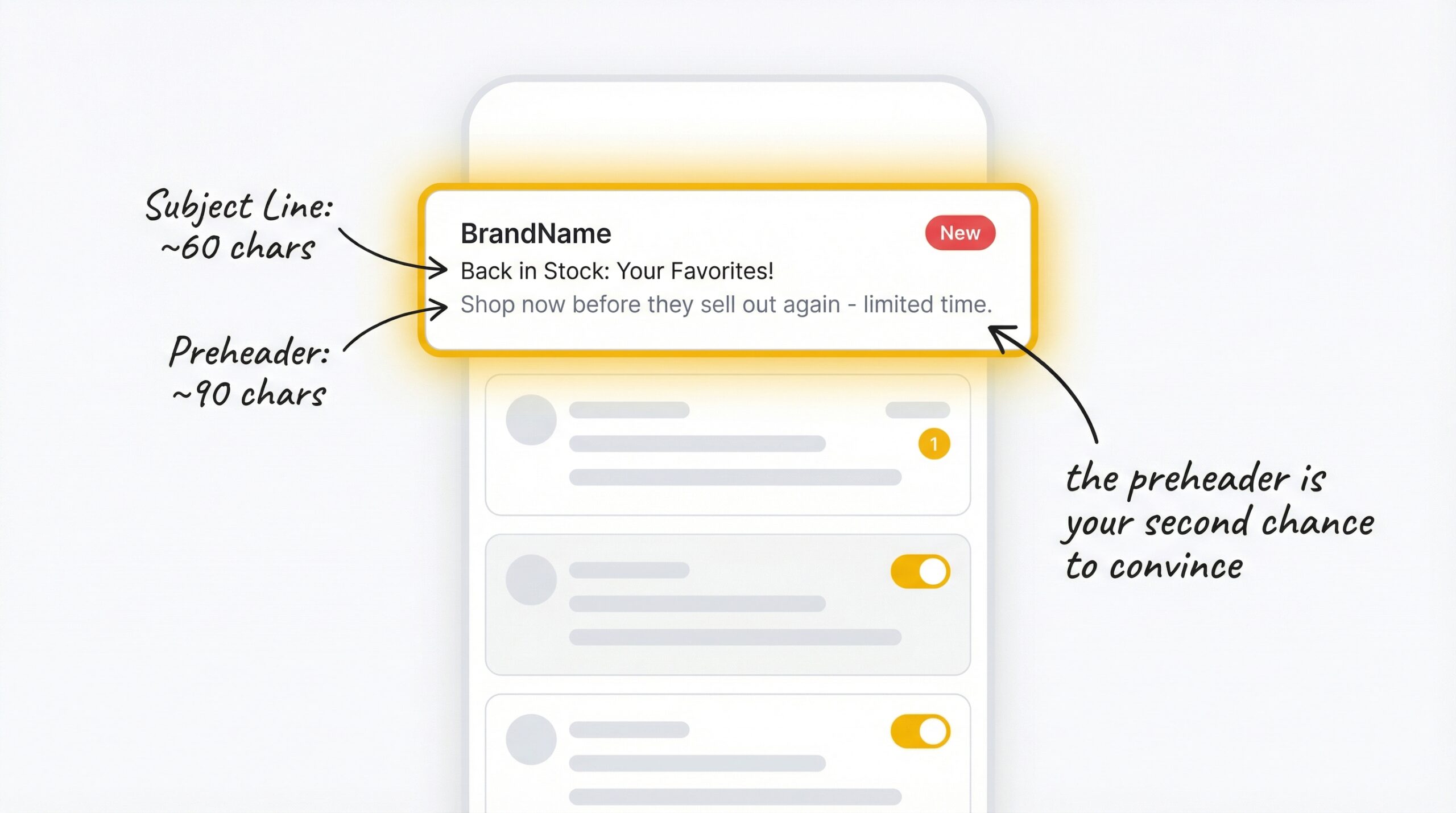
Your preheader text is the preview text that appears after the subject line in the inbox. It’s your second chance to convince the customer to open. Effective preheaders can lift open rates by up to 7%, but only if they complement the subject line rather than repeat it.
The rule: Your preheader should add new information the subject line didn’t include.
Here are 8 subject line + preheader pairings that work:
| Subject Line | Preheader Text |
|---|---|
| “It’s back! [Product] is in stock” | “Only [X] left: shop before it sells out again” |
| “[Name], your [Product] is back” | “Plus free shipping on all orders today” |
| “Back in stock, but not for long” | “[Product Name] just restocked in all sizes” |
| “Only [X] left: [Product] is back” | “Last time it sold out in 48 hours” |
| “Guess what just came back?” | “[Product Name] is available in your size again” |
| “[Product] sold out in 48 hours, it’s back” | “Grab yours before history repeats itself” |
| “[Name], don’t miss [Product] this time” | “We saved a spot on your cart” |
| “Our bestseller is back in stock” | “[X] people are already shopping it, don’t wait” |
Preheader length: Keep it between 40-130 characters. The first 50 characters are the most important since that’s what most mobile clients display. If you don’t set a preheader, email clients pull random text from your email body, which looks unprofessional and wastes the opportunity.
How long should restock email subject lines be?
Mobile email clients display between 33 and 50 characters of your subject line. Desktop shows up to 70. If your subject line is 80 characters, mobile users only see the first half, and they’re nearly half your audience.
Here’s the length framework:
- First 33 characters: Must contain your key message (this is visible on every device)
- 33-50 characters: Visible on most mobile clients
- 50-70 characters: Visible on desktop only
- 70+ characters: Truncated everywhere
Short subject lines with 2-4 words can yield open rates as high as 46% (Belkins email engagement study, 2025). But for restock emails specifically, you need enough words to include the product name. The sweet spot is 30-50 characters: long enough to be specific, short enough to be fully visible on mobile.
Quick test: Type your subject line into your phone’s email app. If the product name is cut off, it’s too long.
Should you use emojis in restock email subject lines?
The data is genuinely mixed on this one. Some studies show emojis boost open rates by 29%, while others show overall effectiveness declining year over year. Here’s what you need to know:
The case for emojis: 56% of brands using emojis in subject lines saw higher open rates. Positioning an emoji at the end of the subject line performed best, working in 58% of campaigns tested.
The case against: A Nielsen Norman Group study found that emojis in email subject lines increase negative sentiment by 26%. Recipients described emoji-containing emails as “annoying” and “unprofessional” more frequently. For premium or professional brands, this is a real risk.
The recommendation: Test one emoji per subject line against a no-emoji version. If your brand voice is casual and playful, emojis may help. If your brand is premium or minimalist, skip them. Never use more than one emoji per subject line, and avoid overusing them across campaigns.
How to A/B test restock subject lines on Shopify
The best subject line for your store depends on your audience, your products, and your brand voice. A/B testing removes the guesswork. Here’s a simple four-step framework:
Step 1: Pick one variable to test. Don’t change the subject line length, add an emoji, AND personalize it all in the same test. Change one thing so you know what caused the difference.
Step 2: Create two versions. Version A: “It’s back! [Product Name] is in stock.” Version B: “[Name], your [Product Name] is available again.” The only difference is personalization.
Step 3: Split your audience. Send version A to 50% of your waitlist and version B to the other 50%. Make sure the split is random, not segmented by geography or purchase history.
Step 4: Measure opens AND conversions. A higher open rate doesn’t always mean more sales. Sometimes a lower-open, higher-converting subject line wins on revenue. Track both metrics before declaring a winner.
What to test first: Start with personalized vs. generic, this typically produces the biggest lift. Then test urgency vs. direct. Then test subject line length. Save emoji testing for last since the impact is smallest and most variable.
Apps like StoreBeep restock notification app let you customize your restock email templates and track which alerts lead to actual purchases, giving you the conversion data you need to evaluate your tests properly.
Restock subject line mistakes that kill your open rates
These mistakes silently destroy your restock email performance:
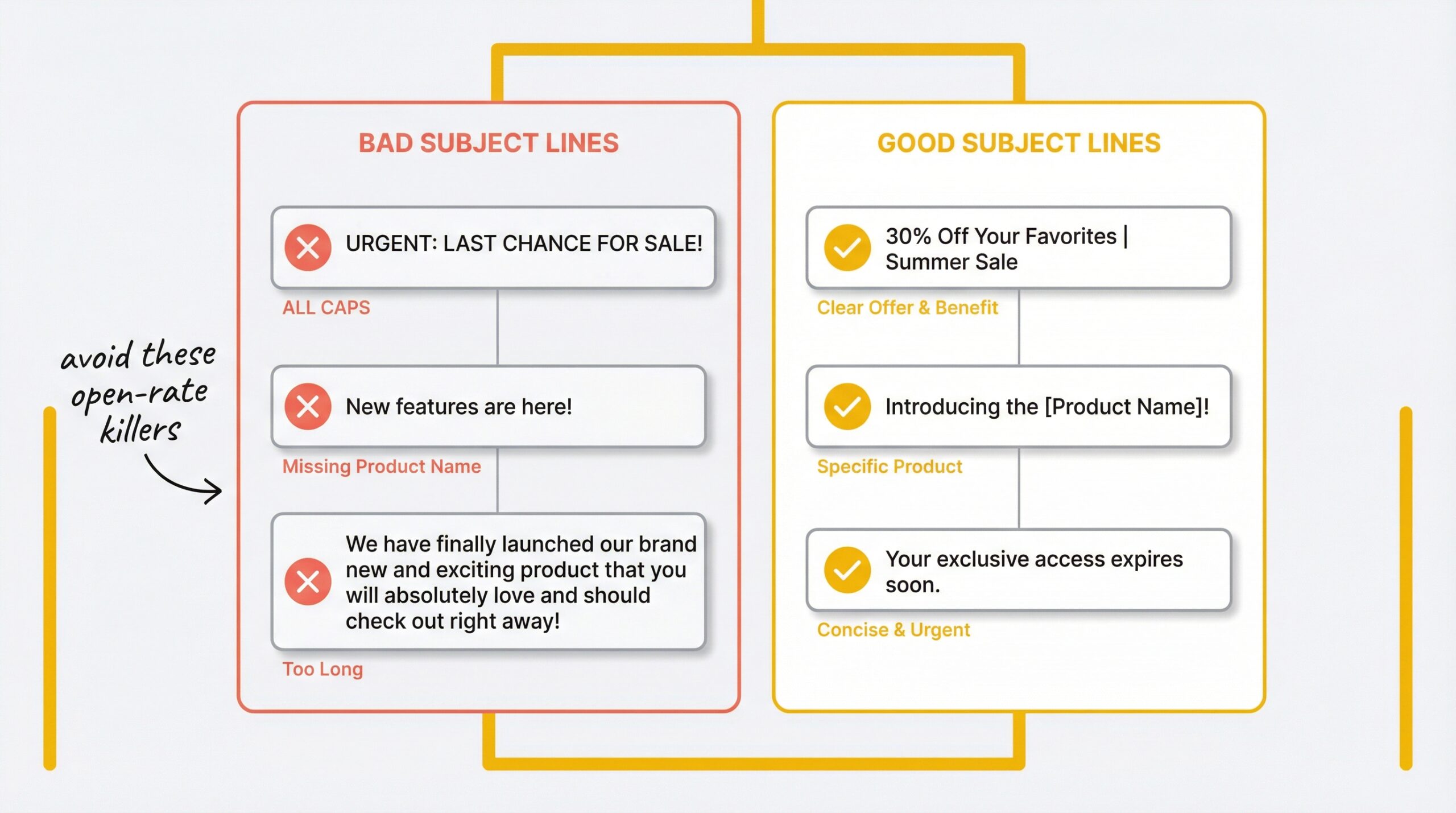
Too long (truncated on mobile). If your subject line is 80 characters, half your audience can’t read it. Keep it under 50 characters and front-load the product name.
Spam trigger words. Words like “FREE,” “BUY NOW,” “ACT NOW,” and “LIMITED TIME OFFER” in all caps trigger spam filters. Your restock email never reaches the inbox. Use natural language instead.
Missing the product name. “We have exciting news!” tells the customer nothing. They signed up for a specific product, name it in the subject line so they instantly know what’s back.
No personalization. Generic subject lines sent to customers who gave you their name and product preference feel impersonal. Use their first name when you have it.
ALL CAPS or excessive punctuation. “YOUR PRODUCT IS BACK!!!” looks like spam. Normal capitalization and one exclamation mark at most.
Missing preheader text. Without a set preheader, email clients pull the first line of your email body, often something like “View in browser” or a random code snippet. Set a deliberate preheader for every restock email.
For more on what makes a great back in stock email subject line convert beyond the inbox, including layout templates and design best practices, see our back in stock email examples for Shopify breakdown.
How to set up restock emails with custom subject lines on Shopify
Once you’ve chosen your subject line strategy, you need a tool that lets you customize and test them. Here’s how to set it up:
Step 1: Install a notification app. You need an app that captures Notify Me button signups and sends automated restock emails. StoreBeep automated restock email setup walks through the full process.
Step 2: Customize your email template. Edit the subject line, preheader text, and email body to match your brand. Apply the strategies from this article, start with a personalized subject line since that consistently produces the biggest open rate lift.
Step 3: Set up a custom sender domain. Emails from your own domain ([email protected]) get higher open rates than emails from a generic third-party domain. This is the deliverability foundation that makes every subject line strategy more effective.
Your restock alert subject line matters less when you have a 98% open rate channel as a backup, see how WhatsApp compares to email for Shopify restock alerts to decide if a multi-channel approach makes sense for your store.
Frequently asked questions
What is the ideal length for a restock email subject line?
Keep it between 30-50 characters. Mobile inboxes show only 33-50 characters, so put your key message, especially the product name, in the first 33 characters to avoid truncation on any device.
Should I include the product name in my restock subject line?
Always. The customer signed up for a specific product. Seeing its name in the subject line triggers instant recognition and drives opens. Generic lines like “We have news” fail because they don’t connect to the customer’s specific interest.
Do emojis help or hurt restock email subject lines?
Mixed data. Some studies show a 29% lift, others find emojis increase negative sentiment by 26%. Test with one emoji per subject line, place it at the end, and avoid them for premium brands. The impact varies significantly by audience.
How often should I change my restock subject lines?
Rotate strategies across campaigns to prevent audience fatigue. If you always send “It’s back! [Product],” open rates will decline over time. Alternate between direct, personalized, and urgency-driven formats to keep engagement high.
What preheader text should I use with a restock subject line?
The preheader should add new information the subject line didn’t include. If your subject says “It’s back!,” your preheader might say “Only 15 left: shop before it sells out again.” Never repeat the subject line in the preheader.
Can personalized subject lines really boost open rates by 26%?
Yes, and some studies report even higher lifts, up to 50%. Personalization with the customer’s first name and the specific product name consistently produces the biggest improvement in restock email open rates across all strategy types.
What words should I avoid in restock email subject lines?
Avoid ALL CAPS, excessive exclamation marks, and spam trigger words like “FREE,” “BUY NOW,” “ACT NOW,” and “URGENT.” These can route your email to spam folders or create a negative impression. Use natural, conversational language instead.
Should I A/B test every restock email I send?
If your waitlist is large enough for a meaningful split (at least 100 recipients per version), yes. Test one variable at a time, personalization first, then urgency, then length. Track both open rates and conversion rates to find the true winner.
Your subject line is the difference between revenue recovered and revenue lost
Every restock email subject line for Shopify is an audition. The customer already wants your product, you just need to get them to open the email. Start with personalization (the highest-impact strategy), add urgency when the product genuinely sells fast, and always include the product name so the customer knows exactly why they’re opening.
Test everything. Pair every subject line with a complementary preheader. Keep it under 50 characters for mobile. And never send a restock email with a generic subject line again, you’re leaving $1.43 per email on the table every time you do. If you’re still figuring out how to handle out of stock products on Shopify beyond just email alerts, that guide covers the full picture.