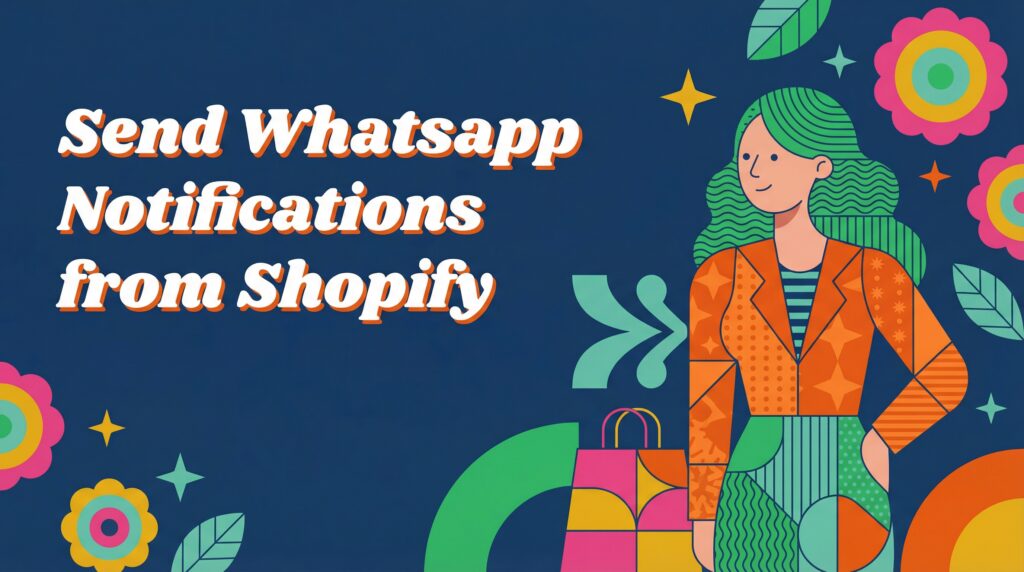
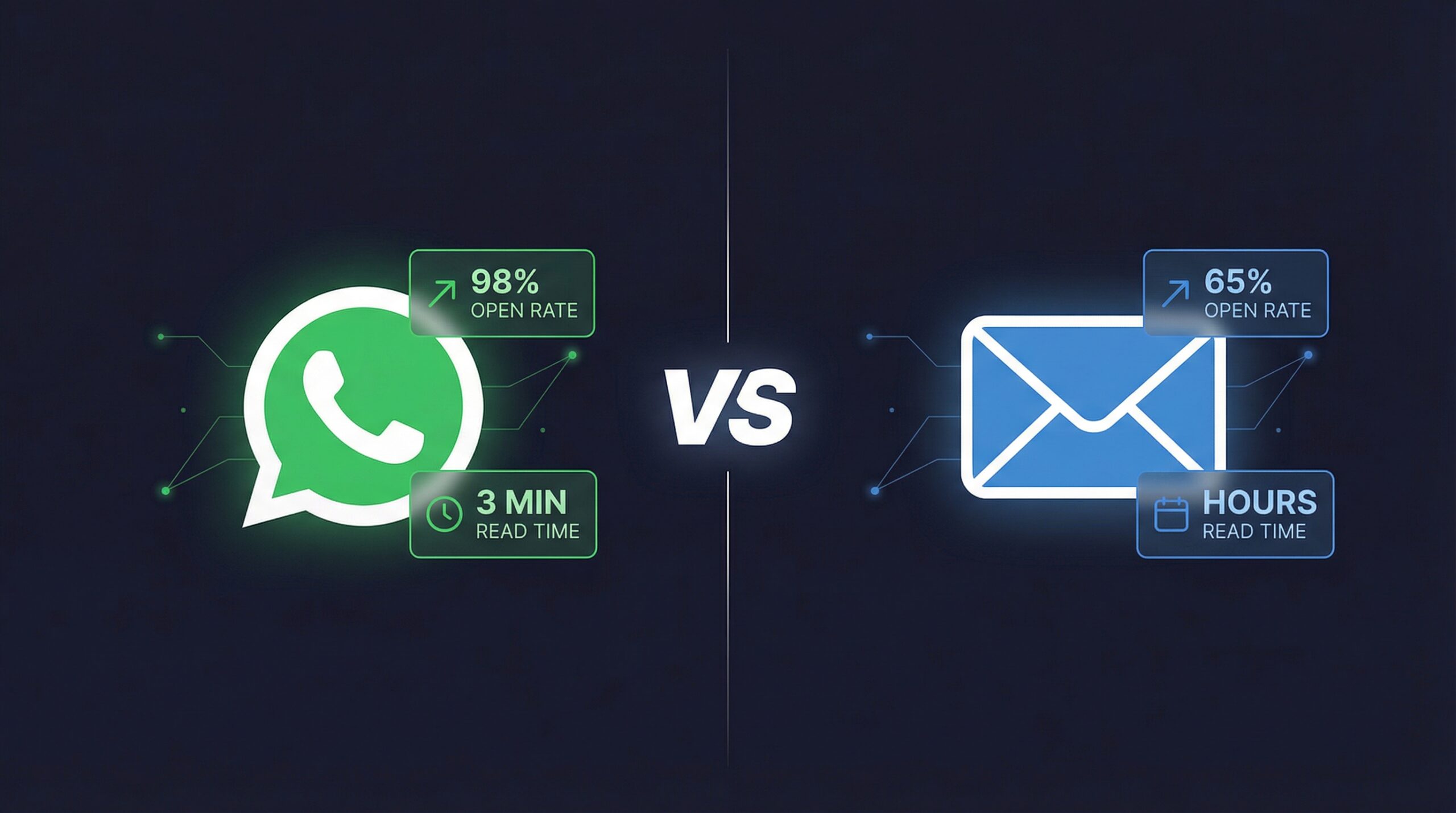
98% open rates on WhatsApp. $68 ROI per dollar on email. Both channels claim to be the best for Shopify notifications, and both have the data to back it up. The problem is that these numbers measure completely different things, and choosing the wrong channel for your store costs real money.
Most Shopify merchants default to email for everything, from restock alerts to promotional campaigns. That works fine until you realize WhatsApp messages get read in under 3 minutes while emails sit in inboxes for hours. On the flip side, sending a WhatsApp alert costs 10-50x more per message than email, and your reach is limited to customers who have WhatsApp installed.
This is not a “WhatsApp is better” or “email is better” article. This is a breakdown of exactly where each channel wins, what each costs per conversion, and how to decide which one your Shopify store actually needs. We pulled real performance data from both channels so you can make a decision based on numbers, not marketing hype.
How Do WhatsApp and Email Compare for Shopify Notifications?
Before diving into the details, here is the side-by-side comparison that matters for Shopify store owners:
| Metric | ||
|---|---|---|
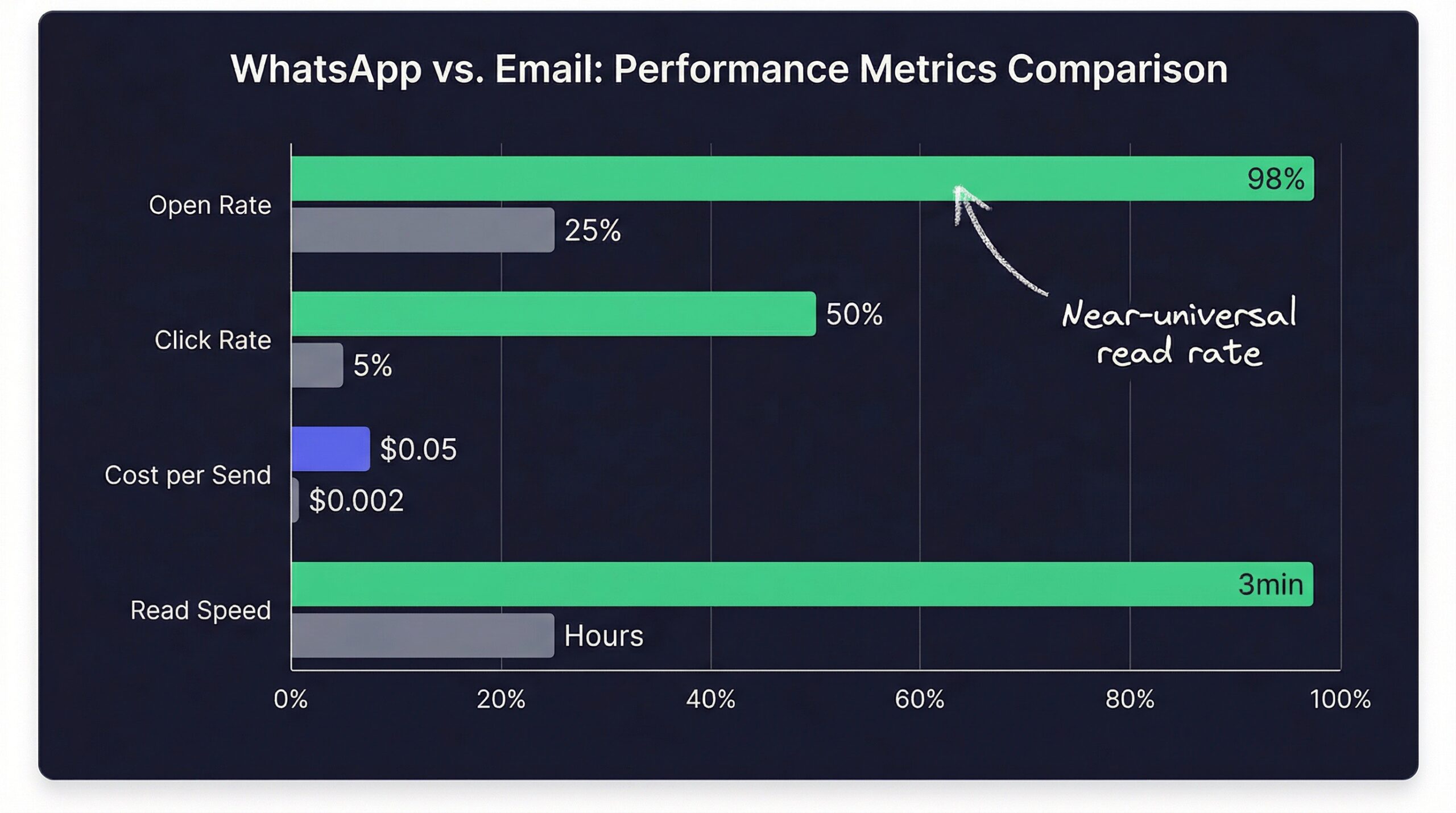
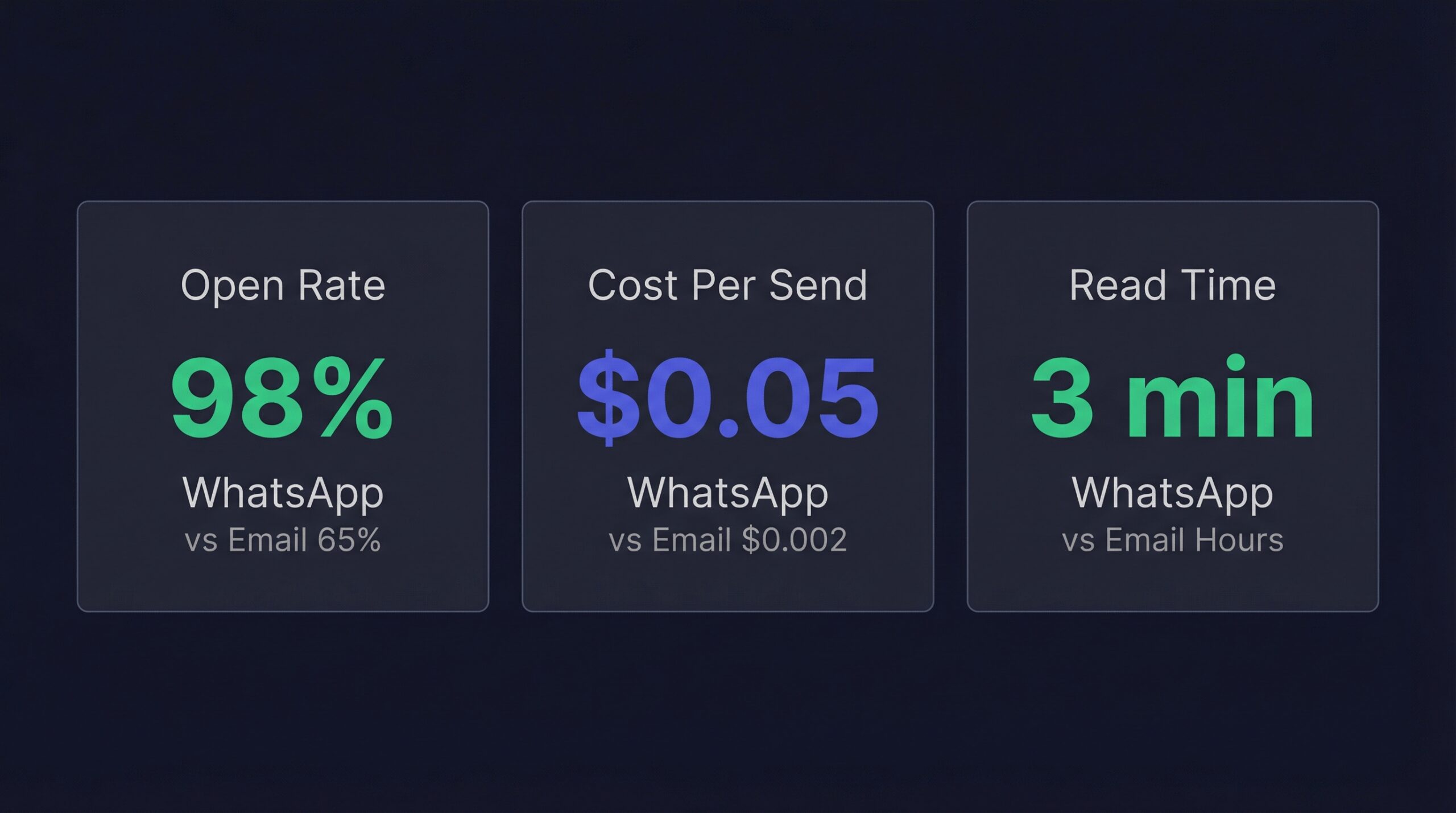
| Open rate | 98% | 20-65% (varies by type) |
| Click-through rate | 45-60% | 2-5% (marketing), 25-35% (transactional) |
| Read speed | Under 3 minutes | Hours to days |
| Cost per message | $0.01-0.22 | $0.001-0.003 |
| Global reach | 3+ billion users (180 countries) | Universal (every internet user) |
| App required | Yes (WhatsApp) | No |
| Setup complexity | Medium (API integration) | Low (any email tool) |
| Two-way conversation | Built-in | Limited |
| Rich media support | Images, video, buttons | Full HTML, images, attachments |
| Regulatory requirements | Opt-in required | CAN-SPAM/GDPR compliance |
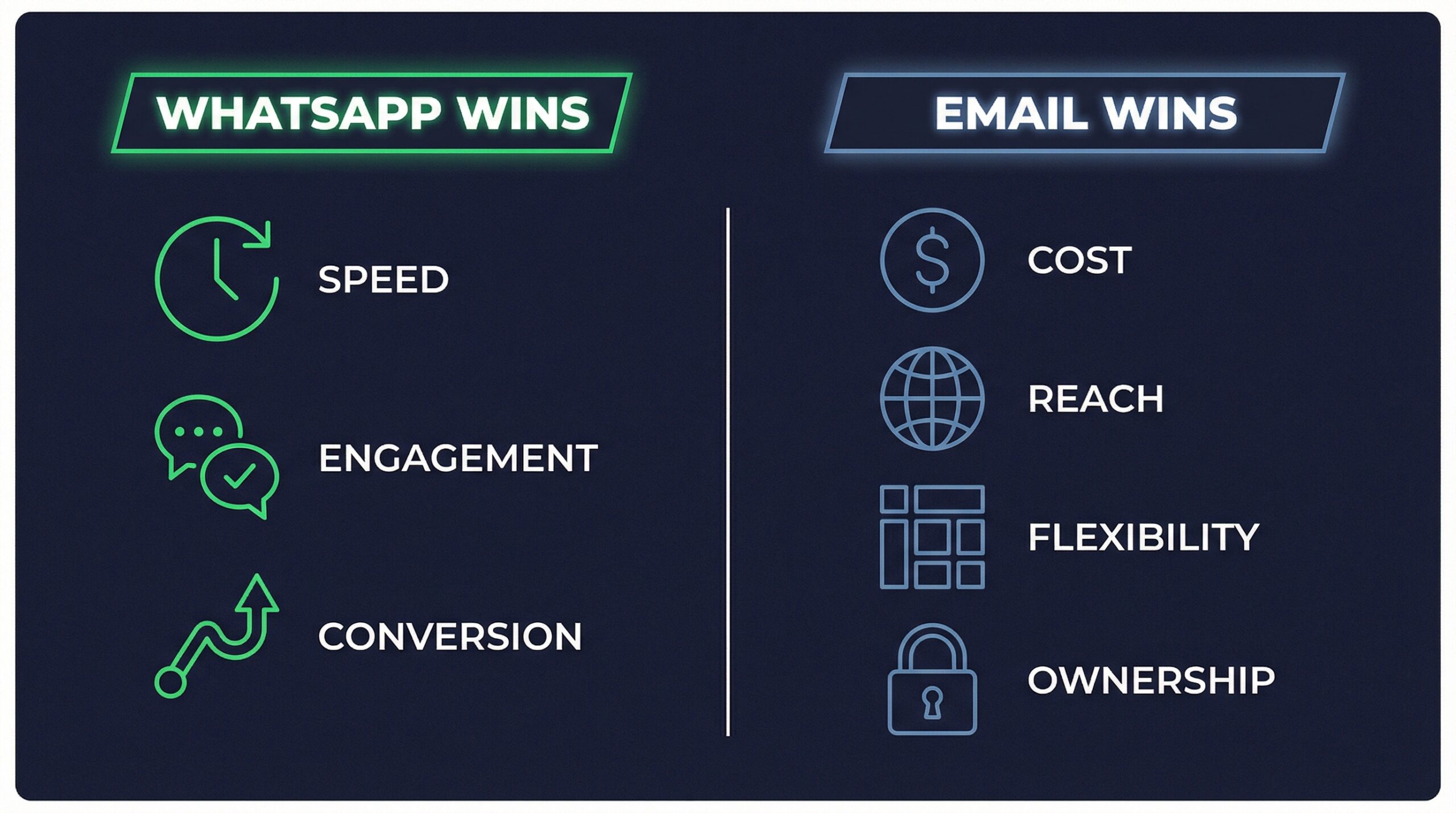
The takeaway from this table is clear: WhatsApp dominates engagement metrics while email dominates reach and cost efficiency. Neither channel is universally better. The right choice depends on what type of notification you are sending, who your customers are, and how much you can spend per message.
Over 50 million businesses worldwide already use WhatsApp to communicate with customers (yCloud, 2026), and that number is growing fast. But email still drives 33% of all e-commerce revenue (Omnisend, 2025). Both channels are essential in the modern Shopify notification stack.
Where Does WhatsApp Beat Email?
WhatsApp wins in three specific scenarios that matter for Shopify stores: immediate attention, high-conversion moments, and interactive customer engagement.
Open Rates and Read Speed
WhatsApp messages achieve a 98% open rate with 80% of messages read within 5 minutes (DemandSage, 2025). Compare that to email where marketing messages average 20-25% open rates and transactional emails like restock alerts reach 50-65%.
The difference comes down to notification behavior. WhatsApp messages trigger a phone notification that customers check reflexively. Email sits in an inbox competing with hundreds of other messages. For time-sensitive alerts like back-in-stock notifications, that speed advantage directly translates to more sales.
Conversion Rates for Time-Sensitive Alerts
When the message needs to drive an immediate action, WhatsApp consistently outperforms email. Cart abandonment recovery on WhatsApp converts at 26-33% compared to 7-11% for email (Kanal, 2025). That is roughly 3x the conversion rate.
For restock alerts specifically, the speed advantage compounds. A product that sold out once will sell out again. The first customers to see the restock notification get to buy. The ones who see it hours later may find it sold out again. WhatsApp’s near-instant delivery gives those subscribers a real advantage.
Two-Way Customer Engagement
WhatsApp is built for conversation. Customers can reply to a restock alert with questions about sizing, ask when more colors are coming, or request related product recommendations. That interaction builds a relationship that email cannot replicate.
Customers reply to WhatsApp messages within 45 seconds on average (FlowCart, 2026). Email responses take hours to days. For Shopify stores that want to build real connections with their customers, WhatsApp creates a direct line that feels personal.
Where Does Email Beat WhatsApp?
Email has dominated ecommerce communication for decades for good reasons. It wins in four critical areas that WhatsApp cannot match.
Cost Per Notification at Scale
This is where email crushes WhatsApp. Sending an email costs $0.001-0.003 per message through a standard ESP. WhatsApp Business API charges $0.01-0.22 per marketing message depending on the recipient’s country (WhatsApp Business Platform, 2026).
At 1,000 restock notifications per month, the math looks like this:
| Channel | Cost per message | Monthly cost (1,000 sends) | Monthly cost (10,000 sends) |
|---|---|---|---|
| $0.002 | $2 | $20 | |
| WhatsApp (US) | $0.05 | $50 | $500 |
| WhatsApp (India) | $0.01 | $10 | $100 |
| WhatsApp (EU) | $0.15 | $150 | $1,500 |
For stores sending thousands of notifications monthly, that cost difference is significant. Email’s cost advantage is why it remains the default channel for most Shopify notifications.
Universal Reach
Every person with an internet connection has email. Not everyone has WhatsApp. While WhatsApp has over 3 billion monthly active users (Backlinko, 2026), that still leaves billions of potential customers on email only.
WhatsApp adoption varies dramatically by geography. India leads with 500+ million users, followed by Brazil and Indonesia. In the United States, WhatsApp usage is lower compared to Europe and Asia. If your Shopify store sells primarily to US customers, your WhatsApp reach will be smaller than your email reach.
Template Flexibility and Content Depth
Email gives you unlimited design freedom. Product images, comparison tables, multiple CTAs, brand-specific layouts, and long-form content all work naturally in email. WhatsApp messages are shorter and more constrained in formatting.
For a restock email, you can include the product image, current price, size availability, related products, and urgency messaging all in one well-designed template. WhatsApp messages work better as focused, single-product notifications with a direct link.
List Ownership and Deliverability
You own your email list. If your email provider shuts down tomorrow, you export your subscribers and move them. WhatsApp conversations are tied to the WhatsApp Business API, which means Meta controls the platform, the rules, and the pricing.
Email also gives you more control over deliverability. Custom sender domains, authentication records (SPF, DKIM, DMARC), and sender reputation are all within your control. WhatsApp delivery depends entirely on Meta’s infrastructure.
What Do Restock Alerts Look Like on Each Channel?
Back-in-stock notifications are the highest-converting automated message a Shopify store can send. Here is how each channel performs specifically for restock alerts.
Restock Email Performance
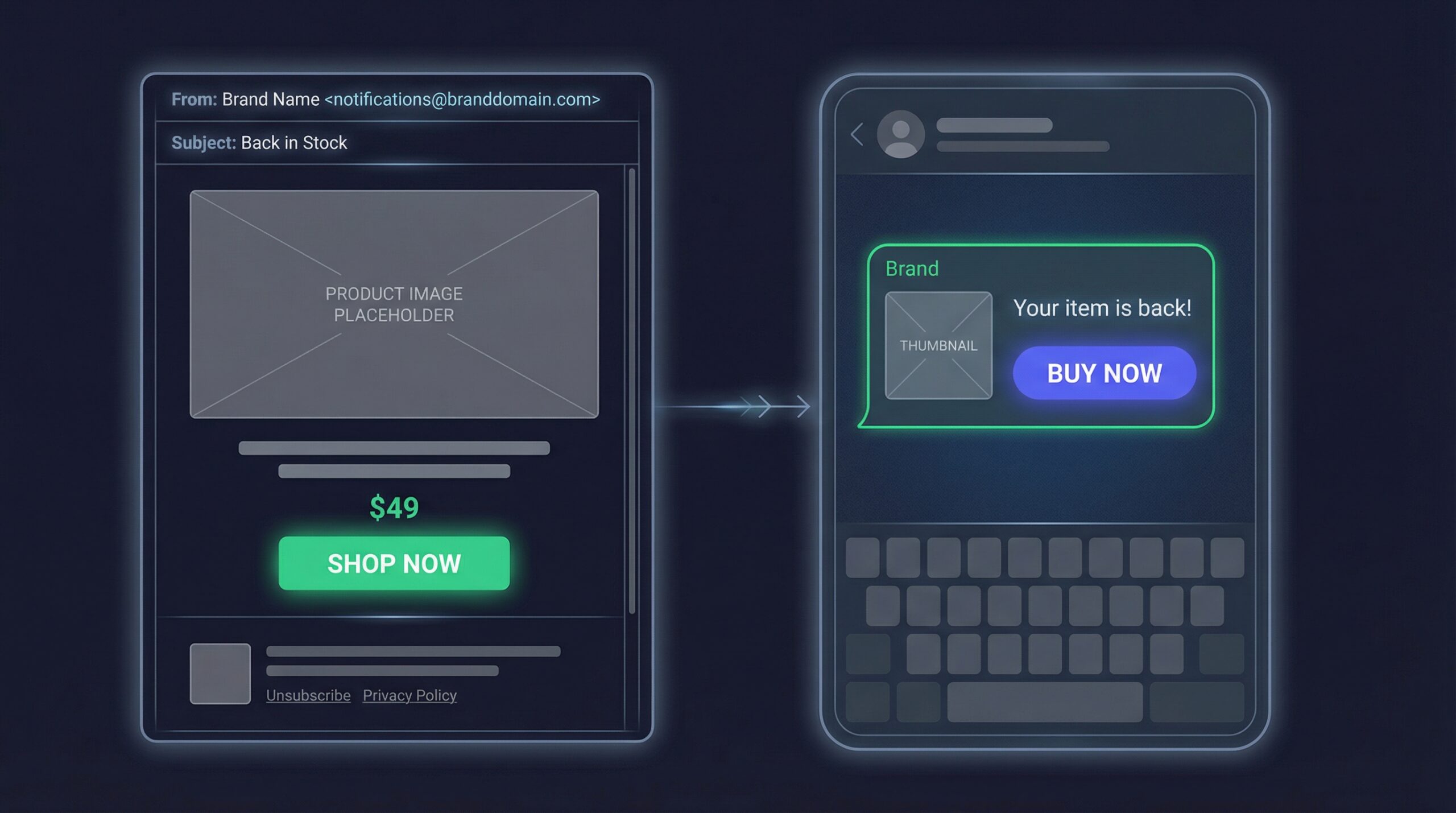
Back-in-stock emails consistently achieve the highest performance of any email type. Open rates reach 65% (Barilliance, 2024), with click-through rates of 25-35% and conversion rates of 5-22%. These numbers dwarf standard marketing emails because the customer already expressed buying intent.
A well-designed restock email includes:
- Product name and image prominently displayed
- Current price and availability status
- Single CTA button linking directly to the product page
- Optional urgency messaging about limited stock
Our detailed guide on automated restock emails on Shopify covers the full setup process and optimization strategies.
WhatsApp Restock Alert Performance
WhatsApp restock alerts take those already-strong restock metrics and push them higher. With 98% open rates and faster read times, the top-of-funnel performance is dramatically better. The conversion advantage comes from urgency: customers see the alert within minutes and can act before the product sells out again.
WhatsApp restock messages are typically shorter and more direct:
- Product name and thumbnail image
- “Back in stock” message with link
- Optional quick reply buttons
For a complete walkthrough of WhatsApp-based alerts, see our guide on WhatsApp back-in-stock alerts on Shopify.
Channel Comparison for Restock Alerts
| Metric | Email Restock Alert | WhatsApp Restock Alert |
|---|---|---|
| Open rate | 65% | 98% |
| Read within 5 minutes | 10-15% | 80% |
| Click-through rate | 25-35% | 45-60% |
| Conversion rate | 5-22% | Higher (limited data) |
| Cost per alert | $0.001-0.003 | $0.01-0.22 |
| Setup time | 5-10 minutes | 15-30 minutes |
| Customer friction | None (has email) | Must have WhatsApp |
How Much Does Each Channel Cost for Shopify Stores?
Understanding the true cost per conversion, not just cost per send, changes how most merchants think about WhatsApp vs email.
Email Sending Costs Breakdown
Email is the most cost-effective notification channel available. Most Shopify back-in-stock apps include email sending in their subscription or charge a fraction of a cent per send.
- Free tier: Many apps offer free email alerts for small stores (under 100-200 subscribers)
- Standard tier: $5-15/month for unlimited email sends
- Per-send cost: $0.001-0.003 when using a dedicated ESP
Email marketing generates $36-40 for every $1 spent globally, with ecommerce specifically seeing $68 ROI per dollar in the US (EmailMonday, 2026). That ROI makes email the safest channel investment for any Shopify store.
WhatsApp Business API Pricing Breakdown
WhatsApp pricing changed significantly in July 2025 when Meta moved from conversation-based to per-message pricing (WhatsApp Business Platform, 2026). Here is the current structure:
- Marketing messages: $0.01-0.22 per message depending on country
- Utility messages (order updates, shipping): 50-95% cheaper than marketing
- Authentication messages: Cheapest category
- Customer-initiated messages: Free within 24-hour window
- BSP (Business Solution Provider) fees: Additional $30-500/month depending on provider
The per-message cost varies dramatically by country. Sending a marketing message in India costs around $0.01, while the same message in Germany costs $0.22. For Shopify stores with international customers, this creates a complex cost structure.
The Cost Per Conversion Comparison
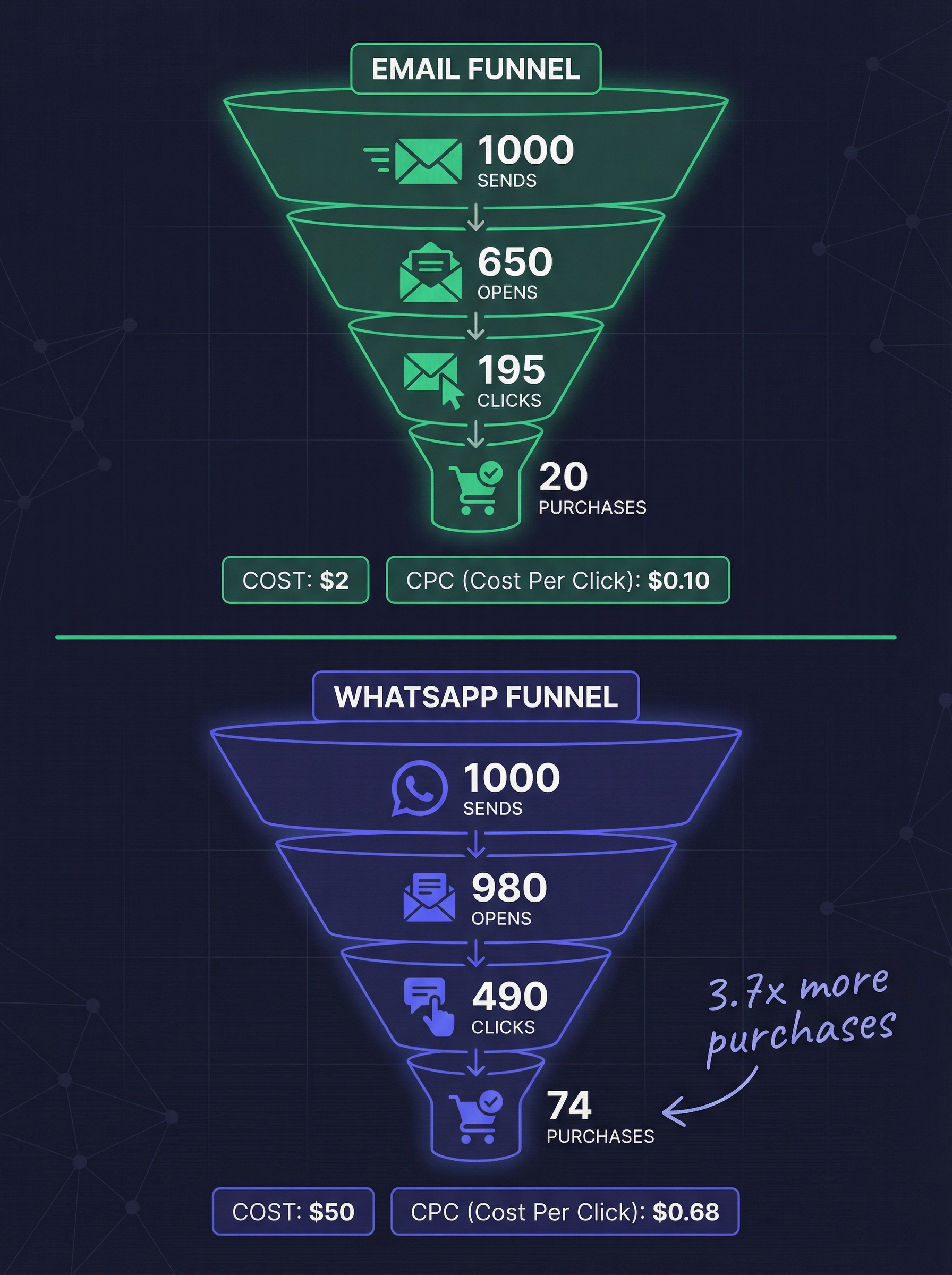
Here is where the analysis gets interesting. WhatsApp costs more per send but converts at a higher rate. Let us run the math on 1,000 restock notifications:
Email scenario:
- 1,000 sends × $0.002 = $2 total cost
- 65% open rate = 650 opens
- 30% CTR = 195 clicks
- 10% conversion = 20 purchases
- Cost per conversion: $0.10
WhatsApp scenario (US pricing):
- 1,000 sends × $0.05 = $50 total cost
- 98% open rate = 980 opens
- 50% CTR = 490 clicks
- 15% conversion = 74 purchases
- Cost per conversion: $0.68
Email wins on cost per conversion ($0.10 vs $0.68), but WhatsApp generates 3.7x more actual purchases from the same subscriber list. If your average order value is $50, that is $1,000 from email vs $3,700 from WhatsApp, minus the sending costs.
The right answer depends on your margins, your AOV, and how many notifications you send monthly. For high-AOV products ($100+), the higher WhatsApp cost per conversion is easily justified by the additional revenue.
When Should You Use WhatsApp vs Email?
Here is a practical decision framework based on your store’s specific situation:
| Scenario | Best Channel | Why |
|---|---|---|
| High-AOV products ($100+) | WhatsApp + Email | WhatsApp’s higher conversion justifies cost at high AOV |
| Budget-conscious store | 10-50x cheaper per send | |
| International customers (Asia, Europe, LATAM) | WhatsApp + Email | WhatsApp penetration is highest in these regions |
| US-only customers | Email first, WhatsApp optional | Lower WhatsApp adoption in the US |
| Time-sensitive restocks (limited inventory) | Near-instant delivery prevents missing the restock window | |
| Regular restocks (ongoing inventory) | Cost-effective for frequent notifications | |
| Small subscriber list (under 500) | Simpler setup, lower cost | |
| Large subscriber list (5,000+) | Email primary, WhatsApp for VIP segment | Cost management at scale |
| High-demand products (frequent sellouts) | WhatsApp + Email | Maximize conversion on products customers really want |
The best-performing stores do not choose one channel. They use email as the foundation and add WhatsApp strategically for their highest-value products and most engaged customers.
Can You Use Both WhatsApp and Email Together?
Yes, and that is exactly what we recommend. A multi-channel approach captures the strengths of both channels while minimizing the weaknesses.
How Multi-Channel Notifications Work
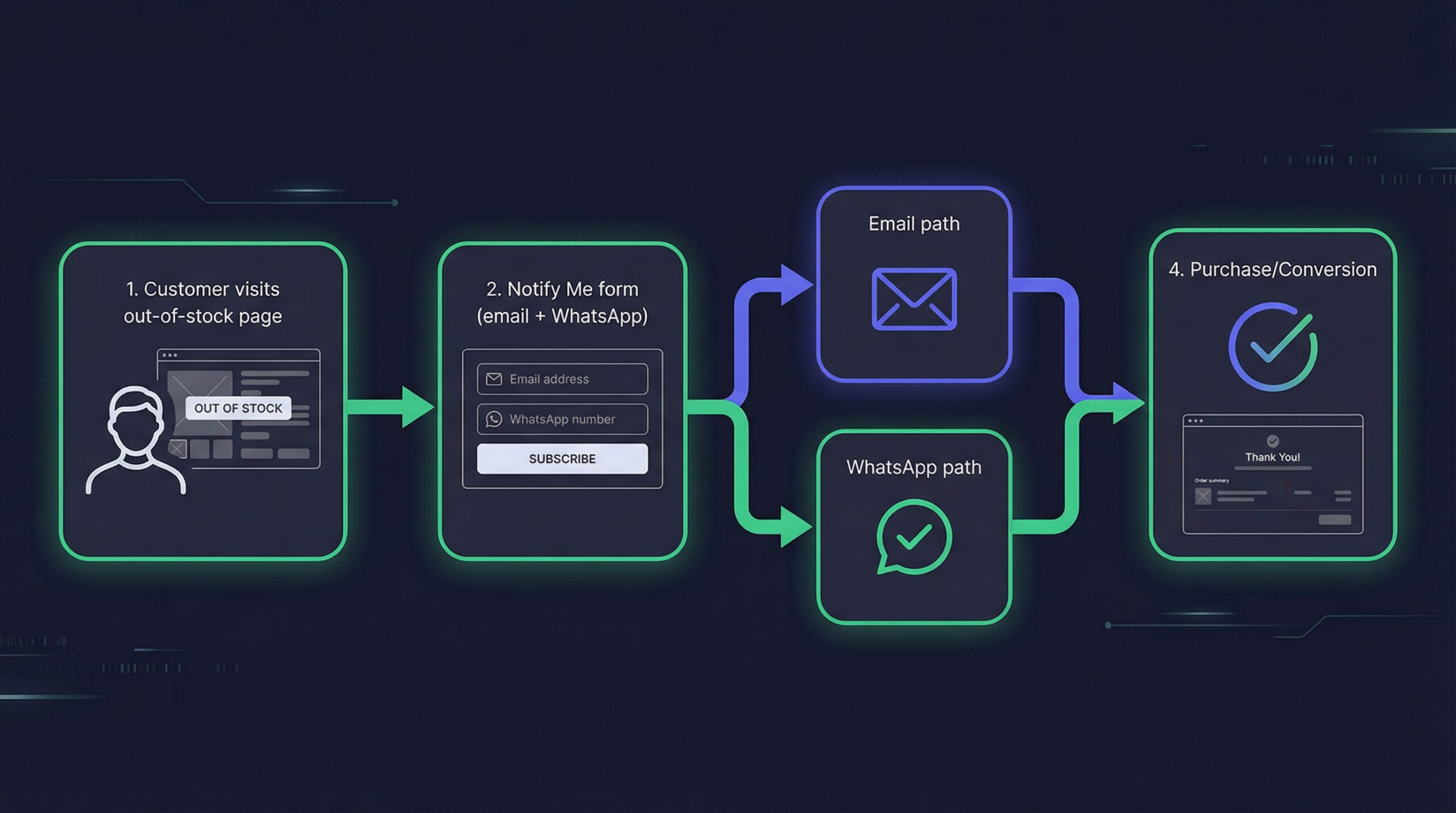
The optimal workflow for Shopify restock notifications:
- Customer visits an out-of-stock product page
- They click the Notify Me button and enter their email
- The form optionally collects their WhatsApp number
- When the product restocks, the app sends alerts on both channels simultaneously
- WhatsApp subscribers see the alert first (within minutes) and convert faster
- Email subscribers see it within hours and convert at a lower but still strong rate
Apps like StoreBeep collect both email and WhatsApp signups from a single Notify Me form. No separate apps, no duplicate forms, no extra setup. Customers choose their preferred channel, and some opt into both.
Results From Using Both Channels
Stores using both WhatsApp and email for restock alerts typically see:
- Higher total recovery: More customers reached through their preferred channel
- Faster sell-through: WhatsApp subscribers buy within minutes, accelerating revenue
- Lower missed notifications: If a customer misses the WhatsApp message, the email serves as backup
- Better customer data: Dual-channel collection reveals which customers prefer which medium
Automated emails generate 40% of all email-attributed revenue while representing only 3% of total send volume (Omnisend, 2025). Adding WhatsApp to that automated system only increases the revenue captured.
Understanding what stockouts cost your Shopify store makes the case for multi-channel notification even stronger. Every customer you fail to re-engage after a restock is revenue permanently lost to competitors.
Frequently Asked Questions
Is WhatsApp better than email for Shopify notifications?
WhatsApp achieves higher open rates (98% vs 20-65%) and faster read times, but email costs 10-50x less per message and reaches every customer regardless of app installation. The best approach uses both channels strategically.
How much does it cost to send WhatsApp notifications on Shopify?
WhatsApp Business API charges $0.01-0.22 per marketing message depending on the recipient’s country. You also need a Business Solution Provider, which adds $30-500/month. Email notifications cost $0.001-0.003 per send.
Can I collect WhatsApp and email signups from the same form?
Yes. Apps like StoreBeep include a single Notify Me form that collects email addresses and optionally WhatsApp numbers. Customers can choose their preferred notification channel or opt into both.
Which channel converts better for back-in-stock alerts?
WhatsApp generates more total purchases from the same subscriber list due to higher open rates and faster delivery. However, email has a lower cost per conversion. High-AOV stores benefit most from WhatsApp, while high-volume stores benefit from email’s cost efficiency.
Do I need WhatsApp Business API to send Shopify notifications?
Yes. WhatsApp requires the Business API for automated notifications. You cannot send bulk messages from the regular WhatsApp app. Most Shopify back-in-stock apps that support WhatsApp handle the API integration for you.
What countries have the highest WhatsApp adoption?
India leads with 500+ million users, followed by Brazil, Indonesia, Mexico, and most of Europe. The US has lower WhatsApp penetration compared to these markets. If your store serves international customers, WhatsApp reach is likely higher than you expect.
Should I start with email or WhatsApp for restock alerts?
Start with email. It is cheaper, easier to set up, and reaches every customer. Once your restock alert system is running, add WhatsApp as an optional channel for your highest-demand products or most engaged customer segments.
Choose the Right Channel for Your Store
The WhatsApp vs email debate for Shopify notifications does not have a single winner. Here is the practical summary:
- Start with email: Cheaper, universal reach, strong restock performance at 65% open rates
- Add WhatsApp for high-value products: The 98% open rate and faster conversion justify the higher cost when your AOV supports it
- Use both for maximum recovery: Multi-channel notifications capture demand through every customer’s preferred channel
- Track cost per conversion, not just open rates: A higher open rate means nothing if the cost per sale exceeds your margin
69% of shoppers go straight to a competitor when their item is out of stock (Opensend, 2024). Whether you reach those customers through WhatsApp, email, or both, the important thing is reaching them before a competitor does.
Set up your back-in-stock notifications on Shopify today with email and WhatsApp collection from a single Notify Me form. Start recovering the revenue your store loses to stockouts.