Most Shopify merchants know their restock alerts “work.” But when you ask what their back in stock conversion rate on Shopify actually is, stage by stage, most cannot answer. They see signups. They see some purchases. They have no idea where the funnel leaks.
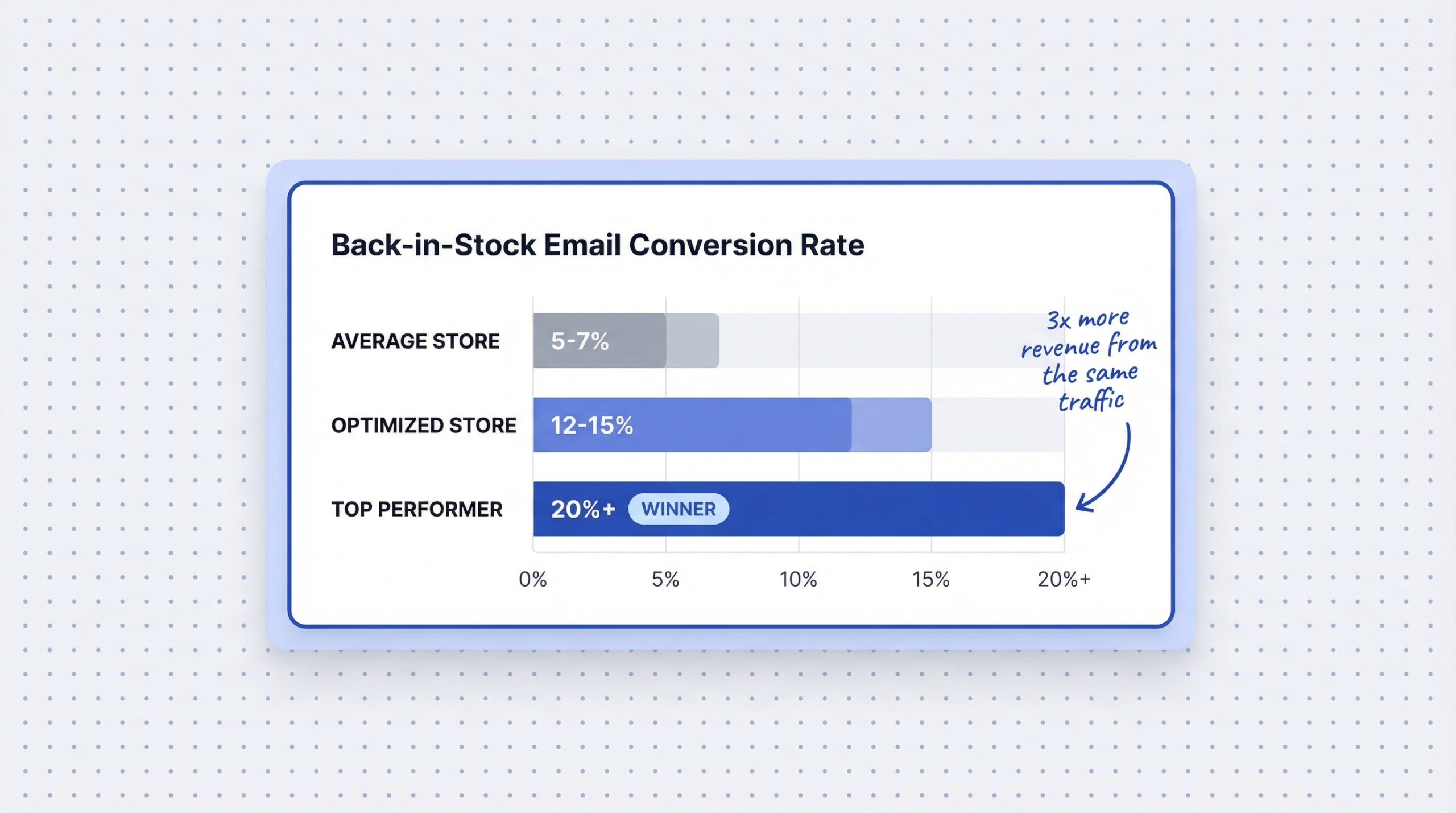
The average back-in-stock email converts at 5.34-7.28% of total sends (Omnisend’s 2024 ecommerce email and SMS report). That is decent. But top-performing merchants hit 22.45% (MarketingSherpa back-in-stock alert case study). The gap between average and excellent is not luck. It is a four-stage funnel, and most stores are leaking conversions at one or two stages without realizing it.
This article maps the full back-in-stock conversion funnel, shows you the back in stock alert performance metrics that matter, and gives you a restock notification conversion optimization framework for wherever your funnel breaks.
What does the back-in-stock conversion funnel look like?
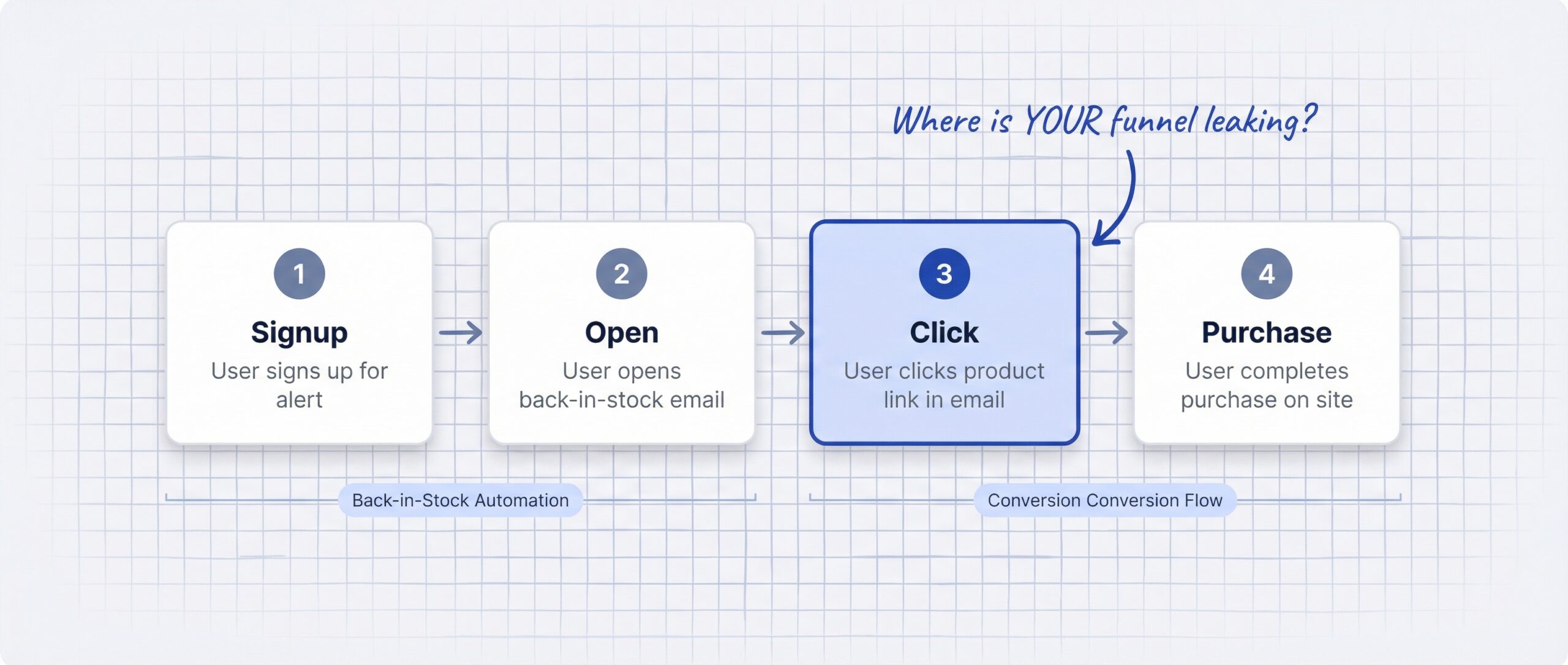
The back-in-stock notification funnel has four stages. Each stage has a benchmark, and each stage has a failure mode.
Stage 1: Signup. A visitor lands on your out-of-stock page and subscribes to a restock alert. Benchmark: 10-20% of OOS page visitors.
Stage 2: Open. The product restocks. You send the alert. The subscriber opens it. Benchmark: 58-65% open rate.
Stage 3: Click. The subscriber clicks through to your product page. Benchmark: 21-35% click-through rate.
Stage 4: Purchase. The subscriber buys the product. Benchmark: 30.5% of clickers convert to buyers.
Here is the math for 1,000 out-of-stock page visitors at average benchmarks:
| Funnel Stage | Benchmark | Remaining Shoppers |
|---|---|---|
| OOS page visitors | 100% | 1,000 |
| Notify-me signups (15%) | 15% | 150 |
| Email opens (60%) | 60% | 90 |
| Clicks (25%) | 25% | 23 |
| Purchases (30% of clicks) | 30% | 7 |
Seven purchases from 1,000 OOS page visitors. That is a 0.7% end-to-end conversion rate. If your AOV is $75, those seven purchases recover $525. Now imagine doubling just one stage. If you push signup rate from 15% to 30%, you recover $1,050 from the same traffic. Every percentage point compounds through the funnel.
What are good benchmarks for back-in-stock alerts by channel?
Not all notification channels perform the same. Here is how they compare at each funnel stage:
| Funnel Stage | SMS | Push Notifications | |
|---|---|---|---|
| Open/delivery rate | 58-65% | ~98% | ~34% |
| Click-through rate | 21-35% | 15-20% | 8-12% |
| Purchase conversion | 5-7% of sends | 3-5% of sends | 1-3% of sends |
| Cost per send | Low ($0.001-0.01) | Medium ($0.01-0.05) | Free |
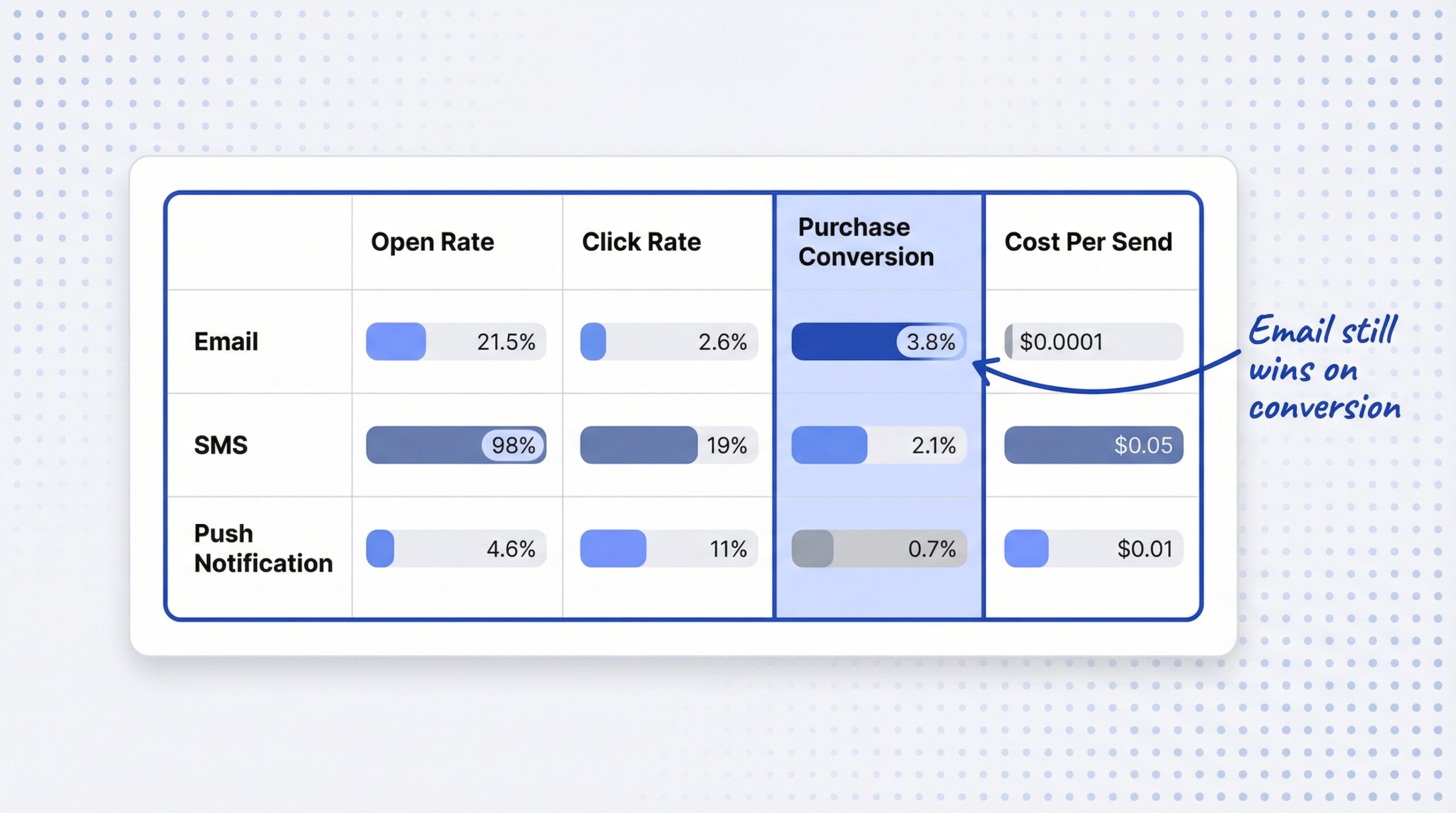
Email dominates on click-through and purchase conversion. SMS wins on delivery and open rates but costs more per send. Push notifications are free but underperform on engagement. Back-in-stock email sends grew 4x in 2024 alone, making it the fastest-growing automated email type. The growth signals that merchants are seeing ROI. Automated emails drive 37% of all email revenue from just 2% of total email volume. Back-in-stock alerts are one of the highest-performing automations in that 2%.
We broke down how SMS, email, and WhatsApp compare for restock alerts in a separate article if you want the full channel-by-channel analysis.
Where do most Shopify stores lose conversions in the restock funnel?
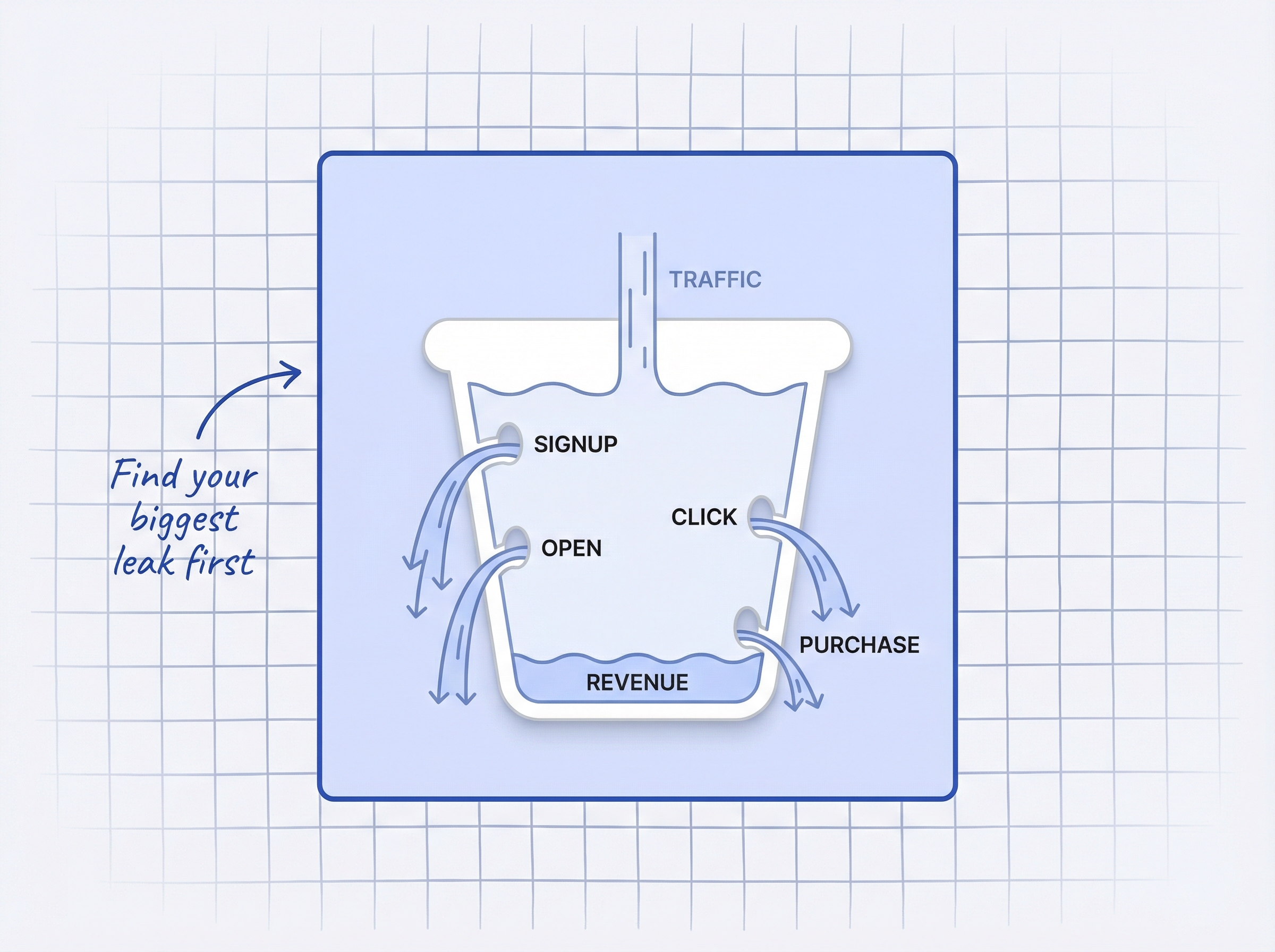
Think of your restock funnel as a bucket with four possible holes. Most stores have one or two major leaks. Here is how to diagnose yours.
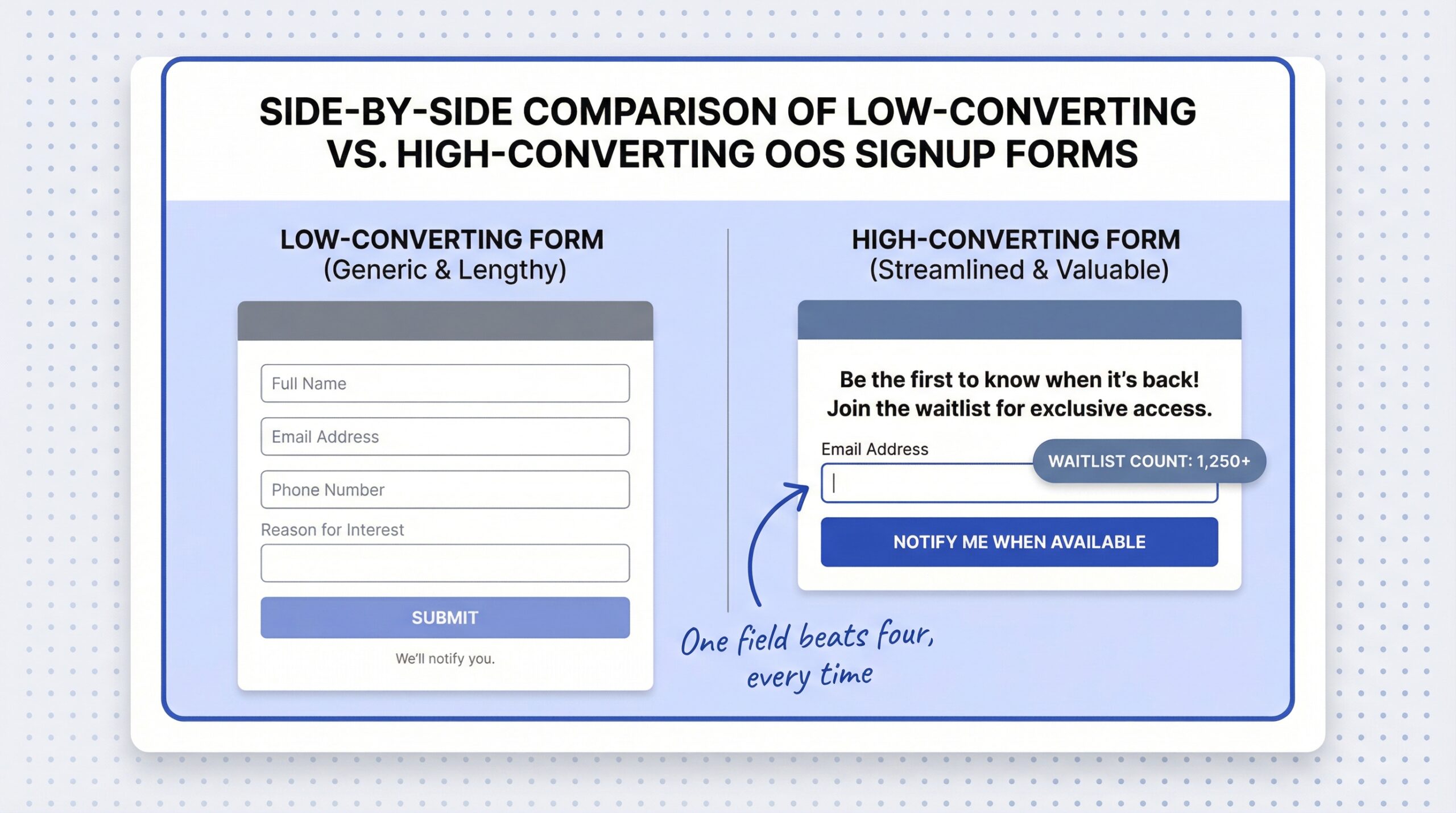
Leak 1: Low signup rate (under 10%). Your out-of-stock page is not capturing demand. Common causes: the notify-me button is hidden below the fold, the form asks for too many fields, or there is no value proposition beyond a generic “Notify Me” label. Fix this first, because nothing downstream matters if subscribers never enter the funnel. We covered how to add a notify-me button on Shopify in five minutes with no code.
Leak 2: Low open rate (under 40%). Your alert email is not getting opened. Common causes: weak subject line, poor sender reputation, or delayed send timing. Back-in-stock emails should achieve 58%+ open rates. If yours are under 40%, the problem is almost always the subject line or the sender name. Our guide to restock email subject line formulas covers 50+ templates that consistently hit high open rates.
Leak 3: Low click rate (under 15%). Subscribers open but do not click. Common causes: too many links competing for attention, unclear CTA, no product image, or missing urgency. Our guide to back-in-stock email examples that actually convert shows what high-performing restock emails look like. Reducing CTAs from four to one increased clicks by 42% in a Whirlpool email A/B test (Mailmunch, 2024). One button. One action. That is the fix.
Leak 4: Low purchase rate (under 20% of clickers). Subscribers click through but do not buy. Common causes: the product sold out again before they arrived, checkout friction, no urgency on the product page, or sticker shock from shipping costs. If your click-to-purchase rate is low, the problem is on your product page or in your cart, not in the email.
How do you fix signup rates on out-of-stock pages?
The signup stage is where most merchants lose the most volume. A small improvement here multiplies through every downstream stage.
Place the CTA above the fold. If visitors have to scroll to find your notify-me button, most will never see it. The button should be the most visible element on the out-of-stock page, sitting where the “Add to Cart” button normally lives.
Keep it to one field. Every extra form field reduces signups. Email only. Or let customers choose between email and SMS with a simple toggle. Never ask for first name, last name, and email on a restock signup form.
Frame it as a waitlist, not a mailing list. “Join 247 others waiting for this product” converts better than “Get notified.” Social proof plus urgency. The framing signals that the product is worth waiting for.
Offer channel choice. Some customers prefer WhatsApp or SMS. Giving them a choice at signup increases overall capture rate. A multi-channel notification strategy that includes email, SMS, and WhatsApp covers the widest audience.
How do you turn alert clicks into purchases?
The click-to-purchase stage is where the alert handoff meets your product page. The email did its job. Now the store experience has to close.
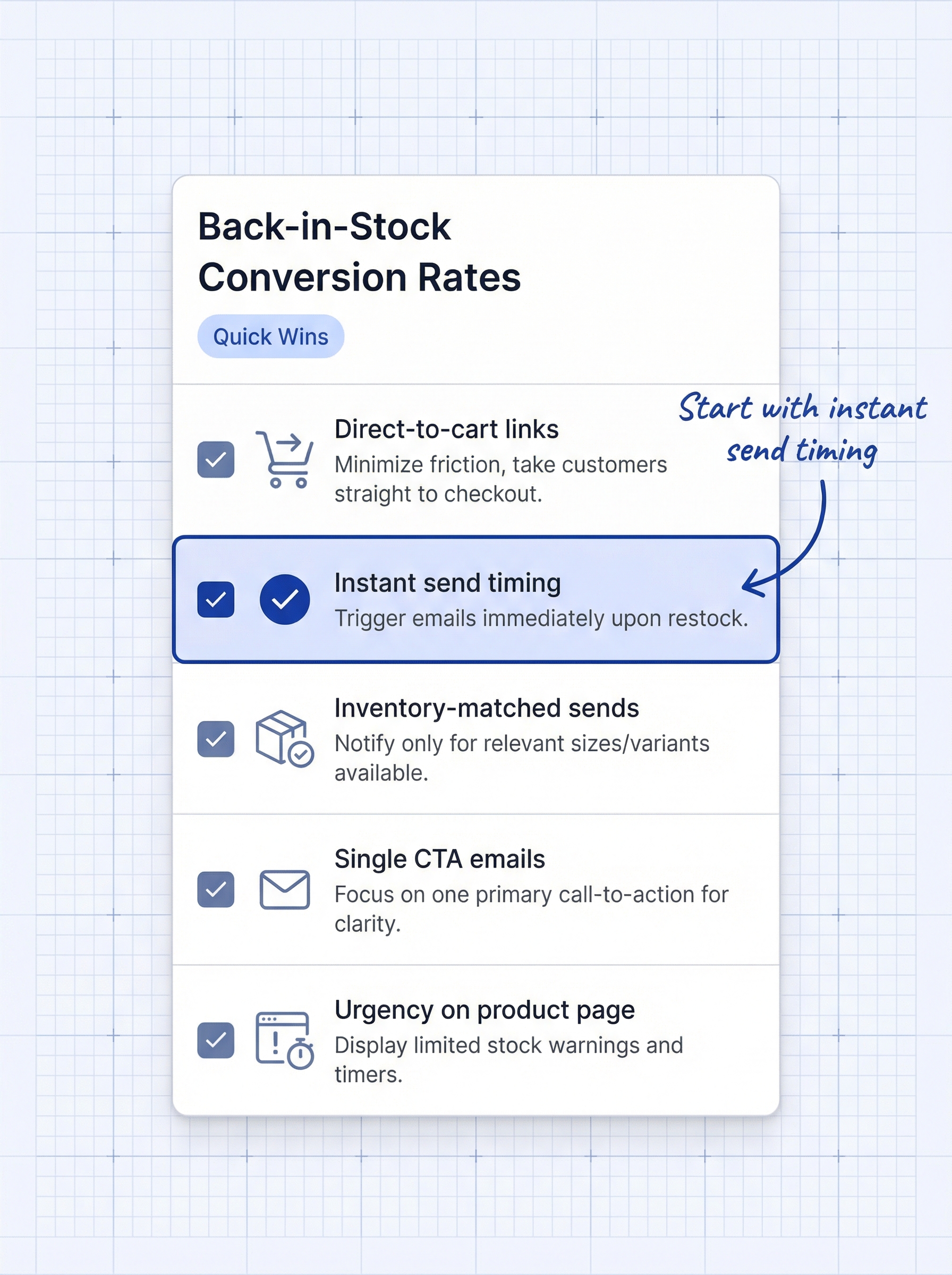
Use direct-to-cart links. Instead of linking to the product page, link to a URL that adds the product to cart automatically. This removes one click from the purchase path. Fewer clicks, fewer drop-offs.
Send alerts the moment inventory arrives. Minutes matter, not hours. If you wait until the next morning to send restock emails, early subscribers may have already bought from a competitor. Speed is the single biggest factor in back-in-stock email conversion. The top-performing merchants in the MarketingSherpa case study sent alerts within minutes of restock and achieved that 22.45% conversion rate.
Match inventory to waitlist size. If you have 200 subscribers but only 30 units, notify only the first 30 subscribers. Sending alerts to 200 people for 30 units creates a race that frustrates the 170 who lose. Batch your sends to match available stock.
Add urgency on the product page. When a customer arrives from a restock alert, show them real inventory data. “Back in stock, only 12 remaining” reinforces the urgency from the email. We covered how to use low stock alerts and urgency-driven conversion tactics without faking it.
How do you improve your back-in-stock conversion rate on Shopify from 5% to 20%?
Global stockouts cost retailers $1.2 trillion per year in lost sales (Mirakl research on inventory management). Back-in-stock alerts recover a portion of that. But most merchants only capture a fraction of what is recoverable because they optimize the email but ignore the funnel.
The highest-performing restock programs share three traits. They capture demand aggressively with visible, low-friction signup forms. They send alerts instantly, within minutes of restock. And they reduce checkout friction for alert subscribers with direct-to-cart links and inventory-matched sends.
Your back in stock conversion rate on Shopify is not one number. It is four numbers: signup rate, open rate, click rate, and purchase rate. Improving any one of those stages lifts everything downstream. The merchants who measure all four and fix their weakest stage first are the ones who improve back in stock notification conversions from the 5% average to the 20%+ range.
A back-in-stock notification app for Shopify handles the automation. The funnel strategy, knowing where you leak and fixing it, is what separates average from excellent. We also covered what stockouts actually cost your Shopify store if you want to size the revenue impact before you start optimizing.
Frequently asked questions about back-in-stock conversion rates
What is a good conversion rate for back-in-stock emails on Shopify?
The average back-in-stock email converts at 5.34-7.28% of total sends. Well-optimized programs achieve 12-15%, and the best documented case hit 22.45%. If your conversion rate is below 5%, you have at least one significant leak in your funnel that needs attention.
Should I send restock alerts immediately or wait for a better time?
Send immediately. Back-in-stock alerts are time-sensitive by nature, and the subscriber’s intent decays every hour you wait. Unlike promotional campaigns where send timing matters, restock alerts perform best when they arrive the moment inventory is available.
How many follow-up emails should I send after a restock alert?
One follow-up 24 hours after the initial alert is the standard best practice. If the subscriber has not opened or clicked by then, a second reminder with a subject line like “Still available, not for long” can recover additional conversions. More than two follow-ups risks fatigue.
Do back-in-stock alerts work better than abandoned cart emails?
They serve different intents but back-in-stock alerts consistently outperform. Restock emails achieve 58% open rates versus 45% for abandoned cart. The reason is simple: a back-in-stock subscriber declared intent for a specific product they could not buy. An abandoned cart shopper may have been casually browsing.
How do I track my back-in-stock conversion rate at each funnel stage?
Most back-in-stock apps report signup counts and alert sends. For open and click rates, check your email automation dashboard. For purchase conversion, use UTM parameters on your alert links and track in GA4, or use an app with built-in purchase tracking like StoreBeep.